“I have found your training to be well-designed, intelligent and if you’ll excuse the expression,
“illuminating”, Angela Knight – New York Times bestselling author
With award winning DAZ Studio 3D animator, Val Cameron from Dreamlight and multiple Dreamlight gallery contest winner Paul G.
You get the following:
Step by step, all features of Animate and Animate 2 explained in great detail
High quality HD 1280 x 720 downloadable WMV + MP4 videos you can keep forever
How to use Animate for quick animations as well as advanced animations
How to use Animate 2 layers for extreme control
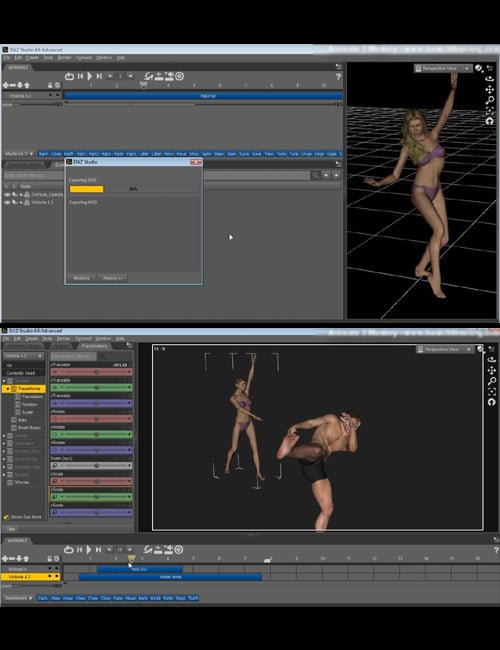
How to export your creations for rendering in other applications
How to create your own aniBlocks
How to work with high heels
Tricks for adding variation to existing aniBlocks
…and more!
Waiting for you inside:
MODULE 1: BASICS, HEELS & FEET AND JOINING BLOCKS
01.01 – The Basics
01.02 – Basic Block Operations
01.03 – Working With Heels & Foot Adjustment for Genesis 2 Figures
01.04 – Key Frame Mode and Splitting Plus Joining Blocks
MODULE 2: ANIMATE MULTIPLE OBJECTS, LAYERS & CREATING BLOCKS
02.01 - How To Animate Multiple Objects
02.02 - Layers And Key Frame Mode
02.03 - Create Your Own Blocks & How to Bake Animate Blocks to the DS Timeline for Export
MODULE 3: AUDIO AND MORPHS, EXPORTING & CONSTRAINT TAB
03.01 - Audio And Morphs Blocks
03.02 - Export Animation To Other Software
03.03 - Constraint Tab
MODULE 4: USING MDD IN LIGHTWAVE AND DAZ STUDIO ANIMATION EXAMPLES
04.01 - Using MDD In Lightwave
04.02 - DS Animation - Part 1
04.03 - DS Animation - Part 2
04.04 - DS Animation - Part 3
BONUS: FINAL ANIMATION EXAMPLE
05.01 - Final Animation Example