Unlock the ultimate render workflow! Combine Camera Auto Focus, professional Light control, and 120+ powerful Tone Mapping scripts for Daz Studio. Achieve perfect, console-driven precision.
- Auto Focus Suite

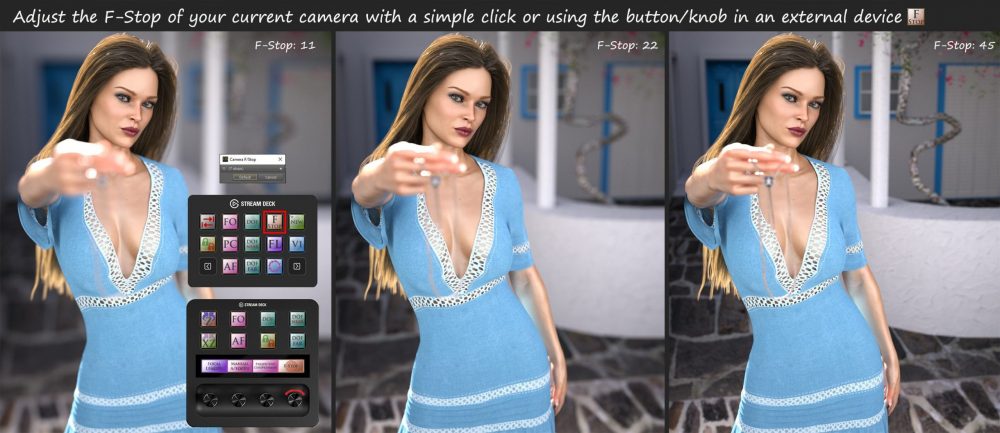 Auto Focus Suite includes 45 scripts that can make your work easier when you use any camera function for building a scene or setting a render. It includes 23 major scripts and 22 auxiliary scripts. The scripts were originally created to control some of Daz Studio’s camera functions by using the 3DConnexion Space Mouse® Enterprise edition, Elgato Stream Deck classic (15 keys), and Elgato Stream Deck Plus devices, but they can be used as standalone applications even without any of these devices or with any other console having programmable keys. A custom 3DConnexion settings file is also included, so you can easily import the settings in your Space Mouse® Enterprise edition device and 2 profile files for interaction with Elgato Stream Deck devices!
The first script of the package adds/removes the other scripts of the product into/from the menu and into/from a toolbar for easy access.
The second script cycles through the 3DConnexion Mouse settings so it can be used for controlling the Orbit Camera, Rotate Camera or Transform Scene Item settings.
The next three scripts control the DOF (Depth of Field). One of them sets the current camera’s DOF On/Off without the need to select the camera and search into its properties and the other two turn the “Near DOF Plane Visibility” and the “Far DOF Plane Visibility” On or Off.
Another script creates a camera using the current view. It lets you choose the focal length for the new camera from a drop-down box. Τhere are eight other complementary scripts as presets for the most common focal lengths (28mm, 35mm, 50mm, 65mm, 80mm, 105mm, 150mm, 200mm) that are used mostly with the 3D Mouse and the Elgato Stream Deck devices or with any other console having programmable keys..
The following script is used to set the current camera’s Focal Length without the need to access the camera properties pane. There are 3 additional scripts used exclusively with the Elgato Stream Deck devices or with any other console having programmable keys, that give the same functionality to them.
A group of three scripts saves a custom view (Custom View 1, Custom View 2, and/or Custom View 3) and the following group of three scripts restores these custom views with a single click! You can overwrite any custom view any time you want.
The next three scripts are the flagships of the suite. The first of them focuses to the selected item. It calculates the Focal distance to the selected item, for the current camera in the viewport. Now you don’t have to struggle trying to focus on the eyes of your figure in your renders. Select the figure you want and use the script. If your selected item is not a figure it will focus on its center. The second script is the Auto Focus script. It has the same function as the Focus script, but it also tracks the item in the scene. If you change the position of the camera or the position of the selected item, the camera will always focus on the selected item. The third of them is the “Perspective Compression” script that can be used to make your frame wider or narrower and at the same time it moves the camera closer to, or further from the focused item leaving it at the same relative size in your frame. Additionally, there are two complementary scripts that add the “Perspective Compression” function to the Elgato Stream Deck Plus or to any other console having programmable keys..
You can also manually focus the current camera anywhere in the scene, using the Elgato Stream Deck Plus device using two auxiliary scripts about Focal Distance.
Another script cycles through the custom cameras and the perspective one in your viewport selection.
The two following scripts reset the tilting of the camera in the z axis and the tilting of the selected item in xz axis. These are extremely helpful when you accidentally have rotated the camera or the items and they are not parallel to the horizon! With these scripts you don’t have to reset the camera to obtain its normal position or the pose of the selected item.
The next two scripts rotate the camera around the selected item in the scene. The first script rotates the camera clockwise and the second one rotates the camera counterclockwise. Two additional similar scripts are included to be used exclusively with the Elgato Stream Deck Plus Device or with any other console having programmable keys..
The following script creates a drop-down menu, which allows you to choose the F/Stop of the camera among the most common values, without the need to search into the camera properties tab. There are also 3 complementary scripts that add the same function to the Elgato Stream Deck plus device or to any other console having programmable keys..
The next script is not about the camera, but it toggles the left and right dock panels of Daz Studio On/Off to maximize the working area, leaving the toolbars in sight, in contrast to the Daz Studio “Full Screen Mode” that lacks that function.
The Lock/Unlock current camera script is a bonus free script, as you can already find it in my site, but it fits nicely with this suite, so I included it for anyone who has not downloaded it yet! As its name suggests, it locks the translation and rotation of the current camera (or light under some conditions), so you don’t accidentally move it around the scene!
The last script is used to adjust the settings for some of the above scripts, in order to be more useful to your workflow.
The suite also includes a detailed manual describing the function of each script, to help you achieve the optimal use of your cameras and create outstanding renders!
Auto Focus Suite: (.DUF)
Scripts:
Add to menu and to toolbar
Auto Focus Suite manual
Product Support
Auto Focus Suite Settings
3D Connexion Cycle settings
Auto Focus on Selected Item
Camera DOF far plane visibility on - off
Camera DOF near plane visibility on - off
Camera DOF on - off
Create New Camera
Custom Camera Create 028mm
Custom Camera Create 035mm
Custom Camera Create 050mm
Custom Camera Create 065mm
Custom Camera Create 080mm
Custom Camera Create 105mm
Custom Camera Create 150mm
Custom Camera Create 200mm
Custom View Camera Create 1
Custom View Camera Create 2
Custom View Camera Create 3
Custom View Camera Select 1
Custom View Camera Select 2
Custom View Camera Select 3
F-Stop Decrease
F-Stop Increase
F-Stop Show Current
Focal Distance Decrease
Focal Distance Increase
Focal Length Decrease
Focal Length Increase
Focal Length Show Current
Focus on selected Node
Lock - Unlock selected Camera or Light
Next Custom camera and perspective
Perspective Compression
Perspective Decrease Compression by 1
Perspective Increase Compression by 1
Reset current cameras Z tilting
Reset selected Node XZ tilting
Rotate Clockwise by 1
Rotate Counterclockwise by 1
Rotate Current Camera Clockwise
Rotate Current Camera Counterclockwise
Set F-Stop of current camera
Set Focal Length of current camera
Toggle Dock Areas Left and Right
Device Files:
MDAZStudio.xml
MikeD 3D Connexion Mouse Settings for DAZ Studio.3dxz
MikeD Auto Focus for Daz Studio 15 Keys.streamDeckProfile
MikeD Auto Focus for Daz Studio Plus.streamDeckProfile
Download via QtyFiles Service - Lights Console Suite
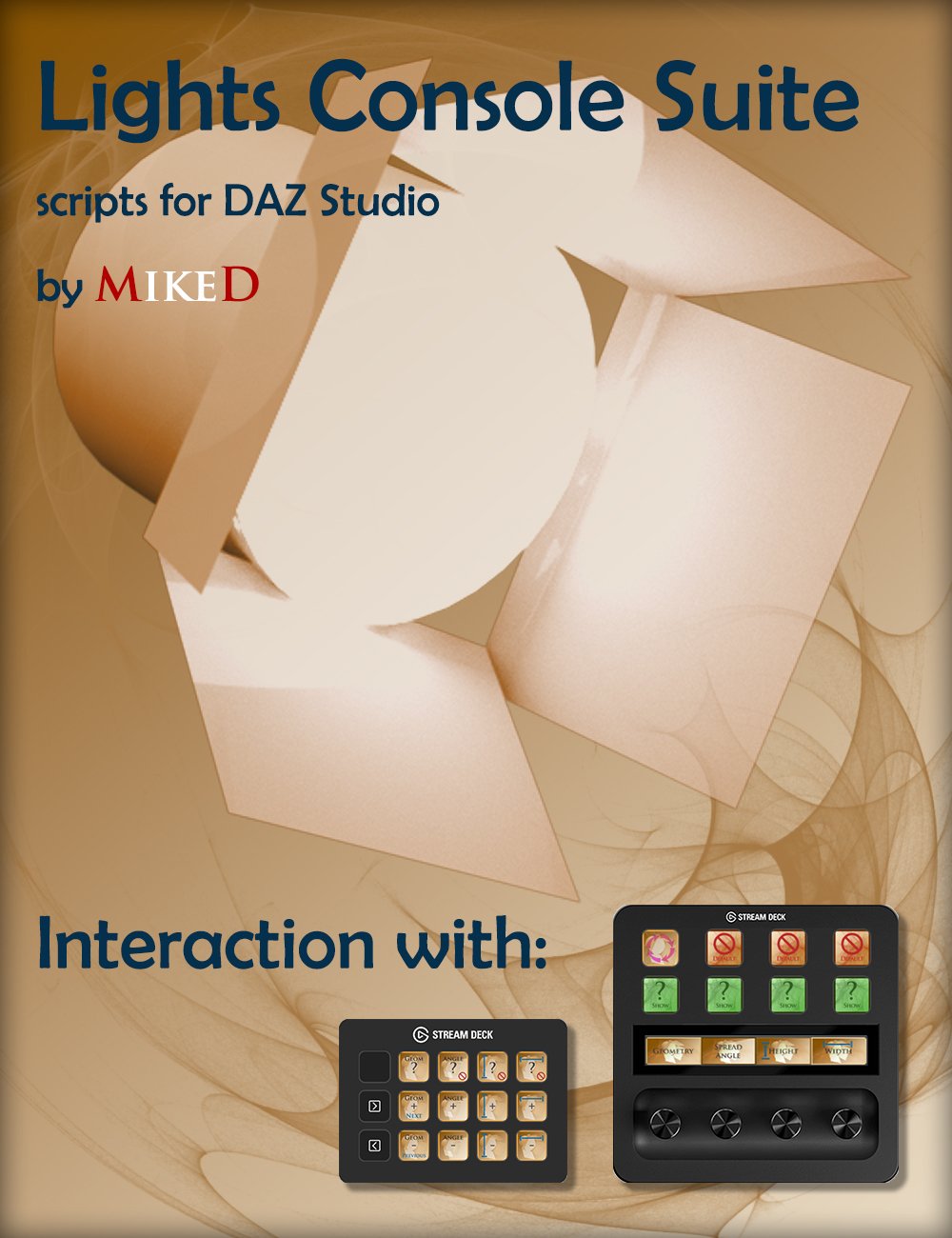
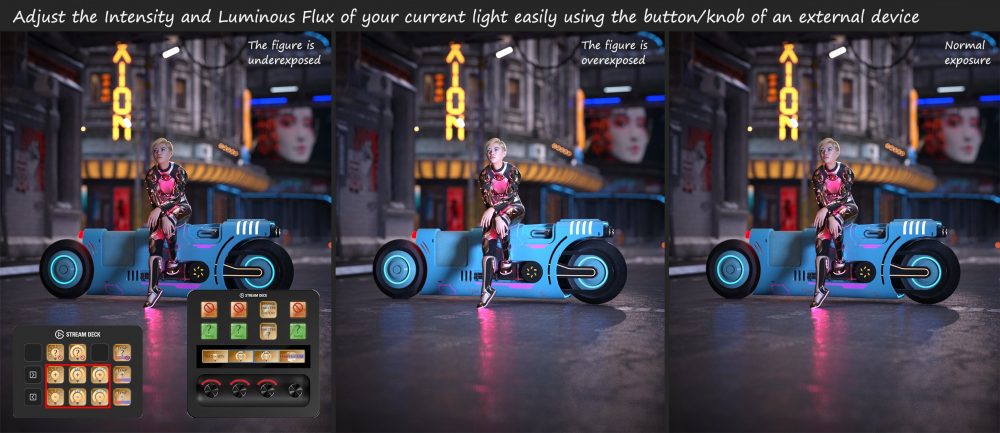 Lights Console Suite includes 39 scripts that add functionality to any Elgato Stream Deck device or any other console you own with programmable keys. You can also use the suite as standalone applications even without any of the above devices to organize the lights main functions into a toolbar for easy access. For the best experience, it is recommended that you use it with an external device. The package also includes 2 profile files for interaction with Elgato Stream Deck classic (15 keys) and/or Elgato Stream Deck Plus devices!
The first script of the package adds/removes the other scripts of the product into/from the menu and into/from a toolbar for easy access.
There are five groups of scripts controlling the Intensity, Height, Width, Spread Angle and Temperature of the selected light. Each group contains four scripts to increase, decrease, show the current value and set the default value for each one of the previous properties.
Three scripts are programmed to show the current geometry of the selected light and set the next or the previous geometry.
Another script can lock or unlock the selected light's movement in the scene. Extremely helpful when you don't want to accidentally relocate the light.
The next script circularly selects all the visible scene lights in the active viewport current camera selection.
A pair of scripts can show the render emitter property's current value and toggle this value on or off.
The luminous flux property is controlled by six scripts. One of these scripts shows the current value, another one sets the default value and the remaining four increase or decrease the value of luminous flux. Two of them change the current value by 1.25 (default step) times up or down for small adjustments and the other two change the current value by 10 (default step) times up or down.
The next four scripts mimic the Orbital Lights plugin movement function and rotate the selected light horizontally or vertically around a selected node in the scene or spin the light horizontally or vertically, around its own axis, if no node has been selected. Two of these scripts control the horizontal rotation (CW and CCW) and the other two control the vertical (up or down).
The last script is used to adjust the settings for some of the above scripts, in order to meet your own needs.
The suite also includes a detailed manual describing the function of each script, to help you achieve the optimal use of your lights and create outstanding renders!
Lights Console Suite: (.DUF)
Scripts:
Add to menu and to toolbar
Lights Console manual
Lights Stream Deck Settings
Product Support
Intensity Value Decrease
Intensity Value Increase
Intensity Value Set Default
Intensity Value Show
Light Geometry Next
Light Geometry Previous
Light Geometry Show
Light Height Value Decrease
Light Height Value Increase
Light Height Value Set Default
Light Height Value Show
Light Width Value Decrease
Light Width Value Increase
Light Width Value Set Default
Light Width Value Show
Lock - Unlock selected Light
Luminous Flux Value Exp Decrease
Luminous Flux Value Exp Increase
Luminous Flux Value Mult Decrease
Luminous Flux Value Mult Increase
Luminous Flux Value Set Default
Luminous Flux Value Show
Next Light in Viewport
Render Emitter Show
Render Emitter Toggle
Rotate Light Clockwise by 1
Rotate Light Counterclockwise by 1
Rotate Light Vert Decrease by 1
Rotate Light Vert Increase by 1
Spread Angle Value Decrease
Spread Angle Value Increase
Spread Angle Value Set Default
Spread Angle Value Show
Temperature Value Decrease
Temperature Value Increase
Temperature Value Set Default
Temperature Value Show
Device Files:
MikeD Light Console for Daz Studio Plus.streamDeckProfile
MikeD Lights Console for Daz Studio 15 Keys.streamDeckProfile
Download via QtyFiles Service - Tone Mapping Console Suite
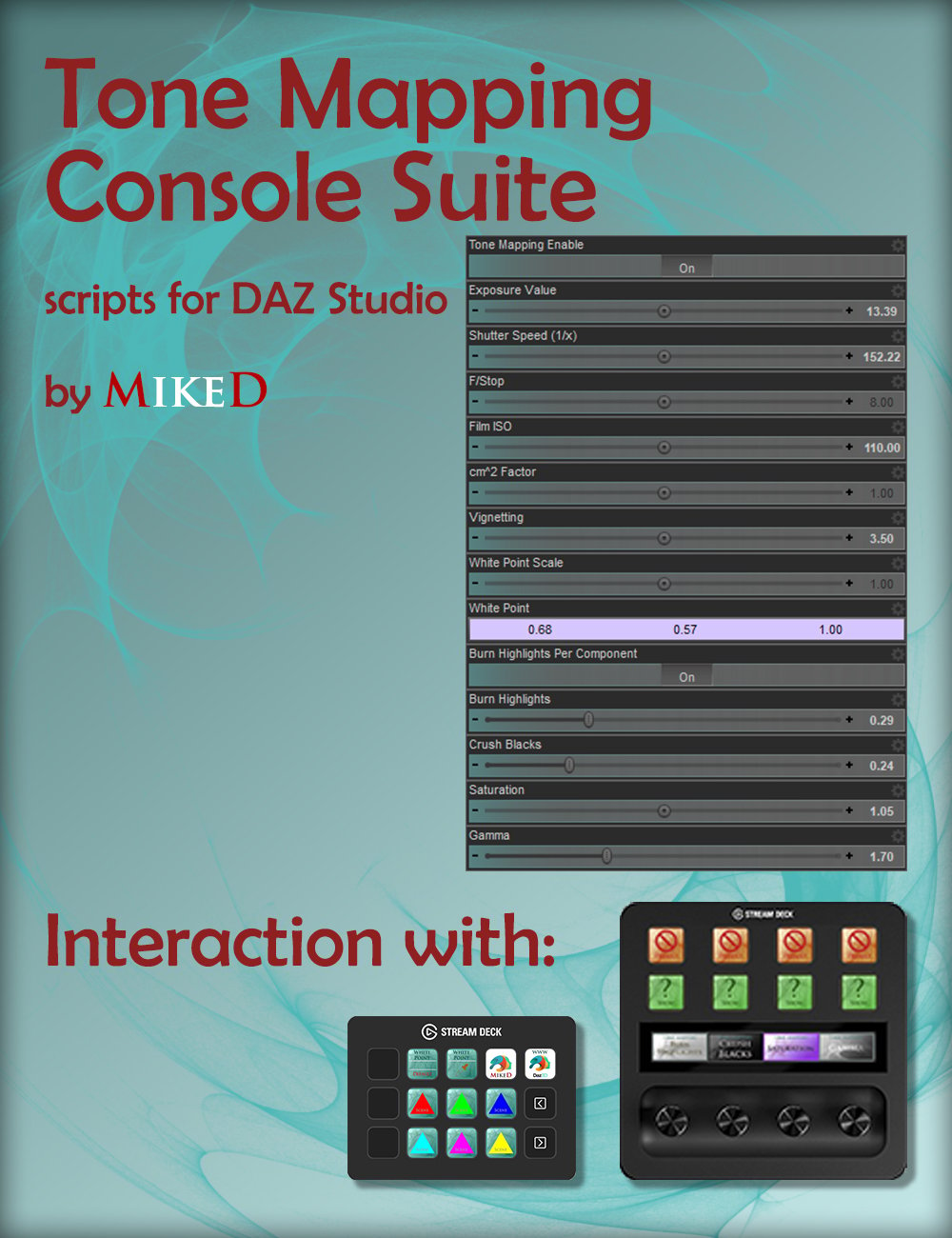
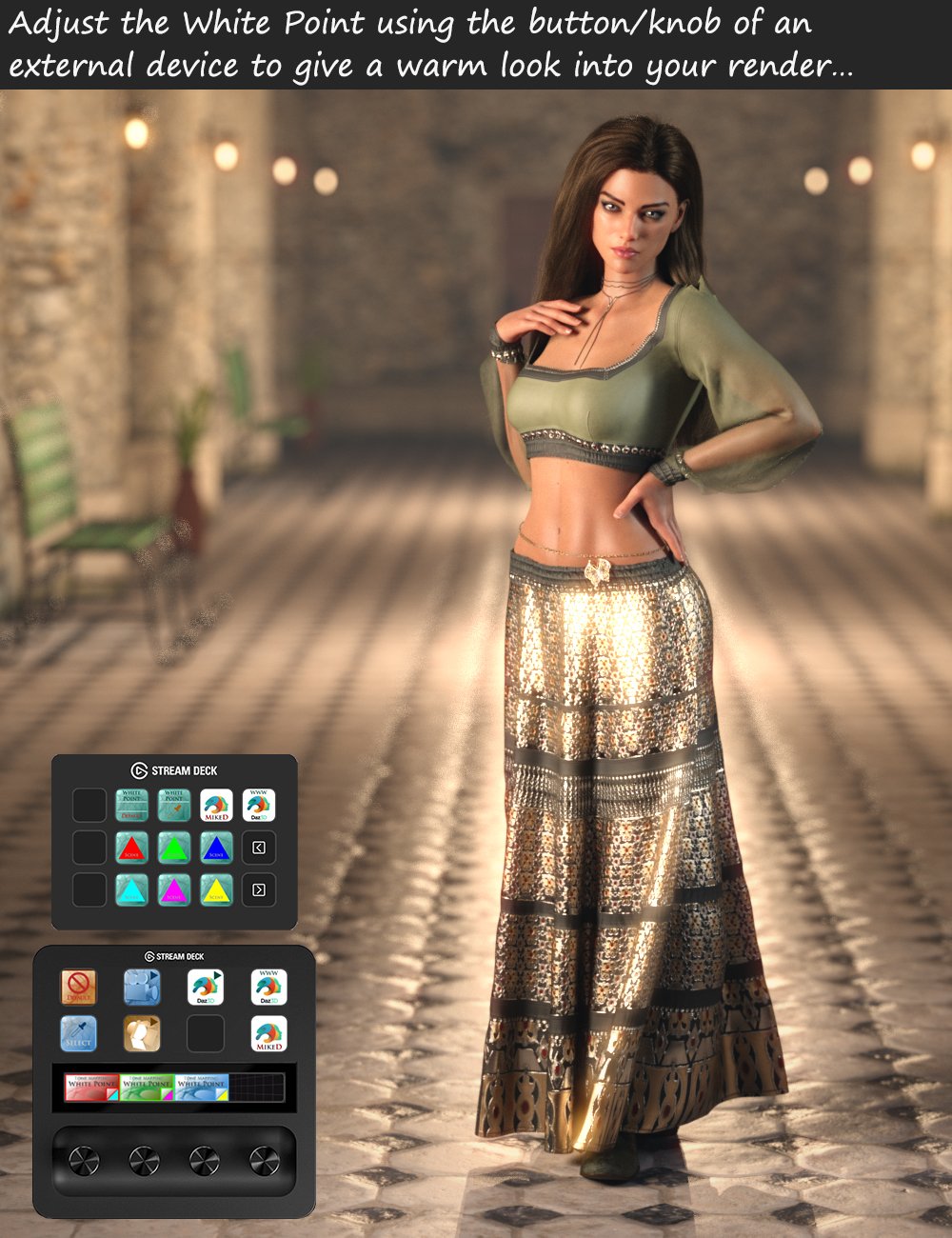 Tone Mapping Console Suite includes 38 scripts that add functionality to any Elgato Stream Deck device or any other console you own with programmable keys. You can also use the suite as standalone applications even without any of the above devices to get the main functions of tone mapping tab into a toolbar for easy access. For the best experience, it is recommended that you use it with an external device. The package also includes 2 profile files for interaction with Elgato Stream Deck classic (15 keys) and/or Elgato Stream Deck Plus devices!
The first script of the package adds/removes the other scripts of the product into/from the menu and into/from a toolbar for easy access.
There are seven groups of scripts controlling the Burn Highlights, the Crush Blacks, the Exposure, the Film ISO, the Gamma, the Saturation and the Vignetting properties of the Tone Mapping tab. Each of these groups consists of four scripts. One that displays the property current value on the status bar, a second one that resets the property value to default and two that increase or decrease the value by one step, for each one of the previously mentioned properties.
The White Point property is controlled by eight scripts. One of these scripts resets the default values. The second script allows you to pick the white point in the scene from the viewport (having the Iray preview on) choosing the color that should normally be white in your render. The remaining six scripts increase or decrease the value of the red, green and blue color of the White Point property, allowing you to manually adjust the color balance.
The last script is used to adjust the settings for some of the above scripts, in order to meet your own needs.
The suite also includes a detailed manual describing the function of each script, to help you achieve the optimal use of your lights and create outstanding renders!
Tone Mapping Console Suite: (.DUF)
Scripts:
Add to menu and to toolbar
Tone Mapping Console manual
Product Support
Tonemapper Settings
Burn Highlights Value Decrease
Burn Highlights Value Increase
Burn Highlights Value Set Default
Burn Highlights Value Show
Crush Blacks Value Decrease
Crush Blacks Value Increase
Crush Blacks Value Set Default
Crush Blacks Value Show
Exposure Value Decrease
Exposure Value Increase
Exposure Value Set Default
Exposure Value Show
Film ISO Value Decrease
Film ISO Value Increase
Film ISO Value Set Default
Film ISO Value Show
Gamma Value Decrease
Gamma Value Increase
Gamma Value Set Default
Gamma Value Show
Saturation Value Decrease
Saturation Value Increase
Saturation Value Set Default
Saturation Value Show
Vignetting Value Decrease
Vignetting Value Increase
Vignetting Value Set Default
Vignetting Value Show
White Point Blue Value Decrease
White Point Blue Value Increase
White Point Green Value Decrease
White Point Green Value Increase
White Point Red Value Decrease
White Point Red Value Increase
White Point Reset
White Point Select
Device Files:
MikeD Tone Mapping for Daz Studio Plus.streamDeckProfile
MikeD Tone Mapping Options for Daz Studio 15 Keys.streamDeckProfile
Download via QtyFiles Service