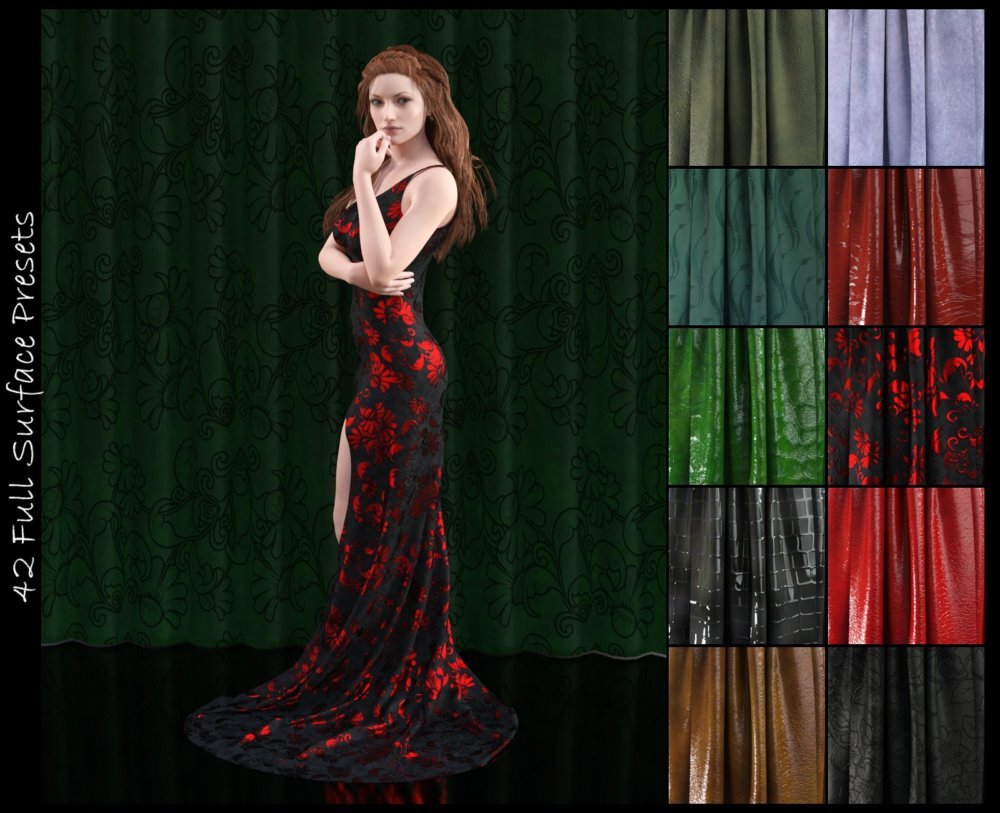
Take control of your surfaces with DG Iray Surface Builder Shader Presets and Merchant Resource.
DG Iray Surface Builder takes a modular approach to customizing and creating very special fabrics. This set features leather, suedes, and velvets.
Step 00 – Full Surface Presets. There is a selection of everyday leathers, velvets, and suedes, set up and ready to go, along with a few with added embossing or etching.
Step 01 - Base Color. This partial surface presets set a color map in the base color, along with a coordinating, or contrasting, map in the backscatter color channel, and coordinating colors in the translucency and glossy colors.
Step 02 - Finishes. There are aged and dull leathers, normal sheen, high gloss and patent sheens, six suedes, and three velvet finishes. Use these with the base colors, or apply to existing textures to change it up.
Step 03 - Embellishments. This set features 30 patterns to simulate inset leather etching or overlay metallic embossing. All modifications are done in the top coat and normal maps. Apply right over an existing surface to add drama or details.
Step 04-Tile and utilities. There are a smattering of general tiling presets, some to tile only the embellishments, embellishments off, and reset the Iray base shader to default.
This set is also a merchant resource and can be used to texture commercial and free items, as long as the resulting textures are baked to a texture map. Full details are in the read me.
All of the partial surface presets are compatible with any other shader preset that uses the Iray Uber base shader.
What's Included and Features
DG Iray Surface Builder - Leather Suede Velvet - Shaders
Step 00:
Changes maps in Base Color, Translucency Color, Glossy Color, and Backscattering Color
42 Full Surface Shader Presets
Step 01 - Base Colors:
90 Partial Surface Presets
Step 02 - Finishes Partial Surface Presets:
Changes Glossy, Bump and Normal
4 Aged and Dull Leather
7 Normal and Light Gloss Leather
10 High Gloss and Patent Leather
6 Suede
3 Velvet
Step 03 - Embellishments Partial Surface Presets:
Changes Normal and Top Coat
30 Make It Etched Leather Etching Patterns
30 Make It Shiny Embossing Patterns
Step 04 - Tile and Utility Partial Surface Presets:
1 Reset Iray Base Shader
1 Etch and Emboss Off
6 Etch and Emboss Tiling Presets
9 General Tiling Presets
Textures Include:
262 Base Color, Glossy, Backscattering, Top Coat, Bump, and Normal Maps (2000 x 2000 to 2048 x 2048)
Daz Studio Iray Shader Presets (.DUF)
Notes
This product includes:
1 DSON Core Installer