For those unfamiliar with Geoshells, think of this wearable as an extra layer of skin for your Genesis 9. The Tattoos are applied to this Wearable, ensuring your character's skin remains untouched and allowing you to customize the settings to ensure a perfect blend. Getting rid of the tattoos is as easy as hiding this Geoshell or deleting from the scene.
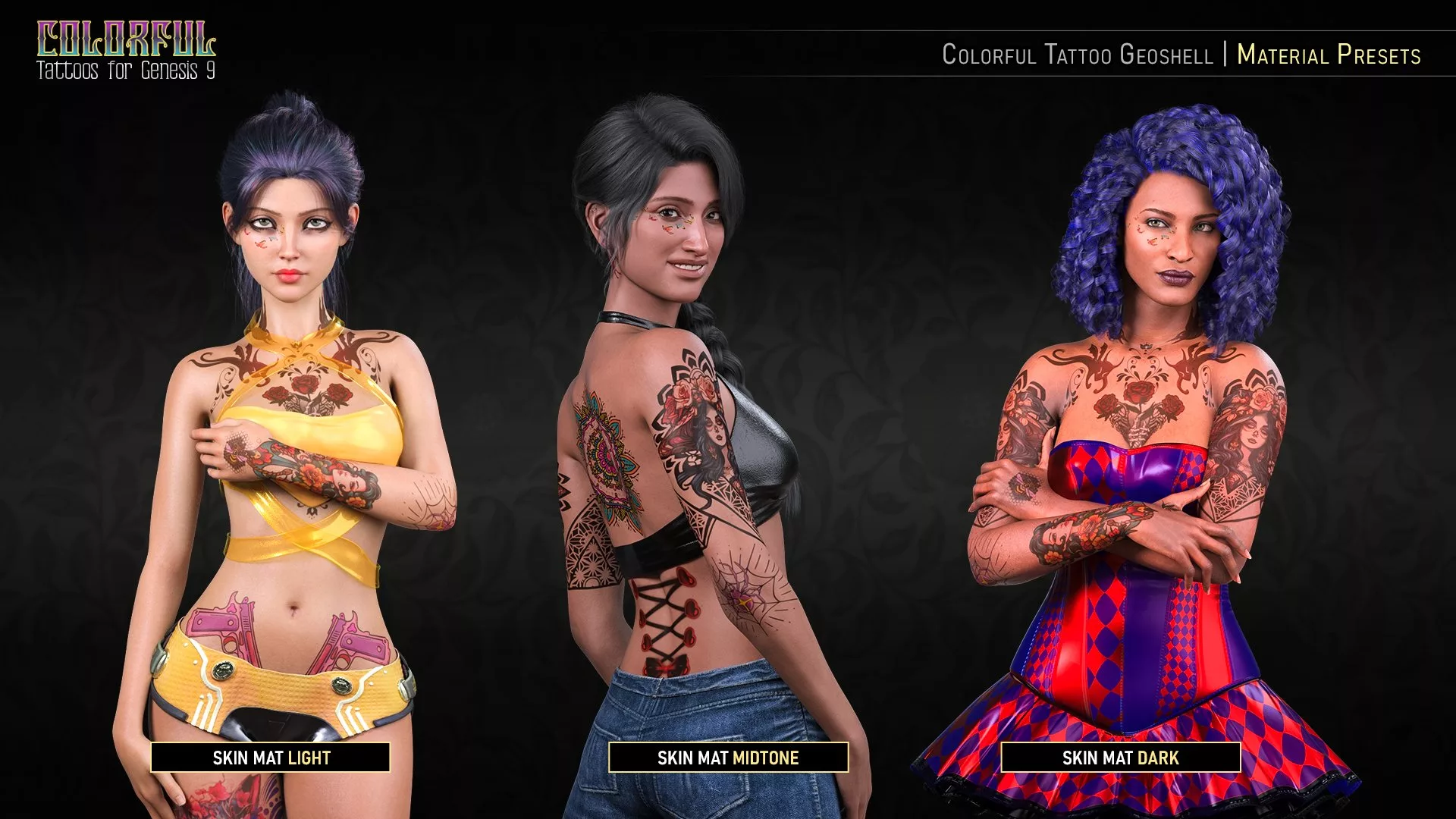
While the tattoos lean towards a feminine aesthetic, you can still apply them to male characters. Three types of Skin (Light, Midtone, and Dark) Material Presets will help the tattoos blend better with your character regardless of skin color.
Also included as part of the utility presets to help you blend the tattoos into the skin are three Presets to change the translucency and the intensity. Higher Translucency presets will yield a better blend at the cost of the tattoo color (it will darken it). In contrast, lower Translucency will yield a more colorful tattoo but may not blend well with dark skin.
The intensity presets, meanwhile, refer to the cutout opacity of the shell. While we have included three presets to control the opacity, you can always manually adjust the number via the surface tab to give it an even more faded look by lowering the opacity.
This pack includes 16 different Tattoo Designs. The Bee tattoo has three placements (hand, forearm, and calf). The Forearm Fangs Tattoo also has an alternate version placed on the abs. In addition, 13 of the tattoos have a mirror option, totaling 32 Tattoo LIE Presets to choose from!
Tattoos have always been a medium of expression. They can be a reminder, a symbol, or a silent statement so important that only etching it into the skin would suffice. So, use this pack to add context to your characters. Whether you want to turn these designs into symbols that echo your character's life or wish to turn their skin into a beautiful piece of art, the choice is yours!
Note: Unlike our other tattoo products, the LIE application will take longer since each tattoo applies three different maps. It’s crucial not to have your character selected when applying the LIE or the Utility presets, as those will change your character’s skin.
*This is not a merchant resource*
Wearables (.DUF)
FPE Colorful Tattoo 01 Apply Shell
Material Presets (.DUF)
FPE Colorful Tattoo 02 Skin MAT Dark
FPE Colorful Tattoo 02 Skin MAT Midtone
FPE Colorful Tattoo 02 Skin MAT Light
FPE Colorful Tattoo 03.2 LIE Reset
FPE Colorful Tattoo 03.2 LIE Lighten SSS
FPE Colorful Tattoos 04 Intensity High
FPE Colorful Tattoos 04 Intensity Med
FPE Colorful Tattoos 04 Intensity Low
FPE Colorful Tattoos 04 Translucency High
FPE Colorful Tattoos 04 Translucency Med
FPE Colorful Tattoos 04 Translucency Low
Layered Image Editor (LIE) Presets:
FPE Colorful Tattoos 03 LIE Abs Fangs Left/Right
FPE Colorful Tattoo 03 LIE Arm Catrina Left/Right
FPE Colorful Tattoo 03 LIE Back Corset
FPE Colorful Tattoo 03 LIE Back Mandala
FPE Colorful Tattoo 03 LIE Back Witch
FPE Colorful Tattoo 03 LIE Calf Bee Left/Right
FPE Colorful Tattoo 03 LIE Chest Demons
FPE Colorful Tattoo 03 LIE Chest Bird
FPE Colorful Tattoo 03 LIE Ear Cat Left/Right
FPE Colorful Tattoo 03 LIE Elbow Spider Left/Right
FPE Colorful Tattoo 03 LIE Face Butterflies Left/Right
FPE Colorful Tattoo 03 LIE Forearm Anchor Left/Right
FPE Colorful Tattoo 03 LIE Forearm Bee Left/Right
FPE Colorful Tattoo 03 LIE Forearm Fangs Left/Right
FPE Colorful Tattoo 03 LIE Hand Bee Left/Right
FPE Colorful Tattoo 03 LIE Hand Bird Left/Right
FPE Colorful Tattoo 03 LIE Hips Guns
FPE Colorful Tattoo 03 LIE Ribs Jellyfish Left/Right
FPE Colorful Tattoo 03 LIE Thigh Cat Left/Right
Instructions Scripts (.DSA):
FPE Colorful Tattoo 00 Instructions
FPE Colorful Tattoo 03 LIE !Info
FPE Colorful Tattoos 04 !Info Utilities
Textures Include:
61 Texture, Mask and SSS Maps (4096 x 4096)
Daz Studio Layered Image Editor Presets (.DUF)
This product uses the Genesis 9 Base UVs.
Part of bundles