The Lycan Bundle is the perfect way to have Lycan ready to render.
- dForce Detective Outfit for Genesis 9
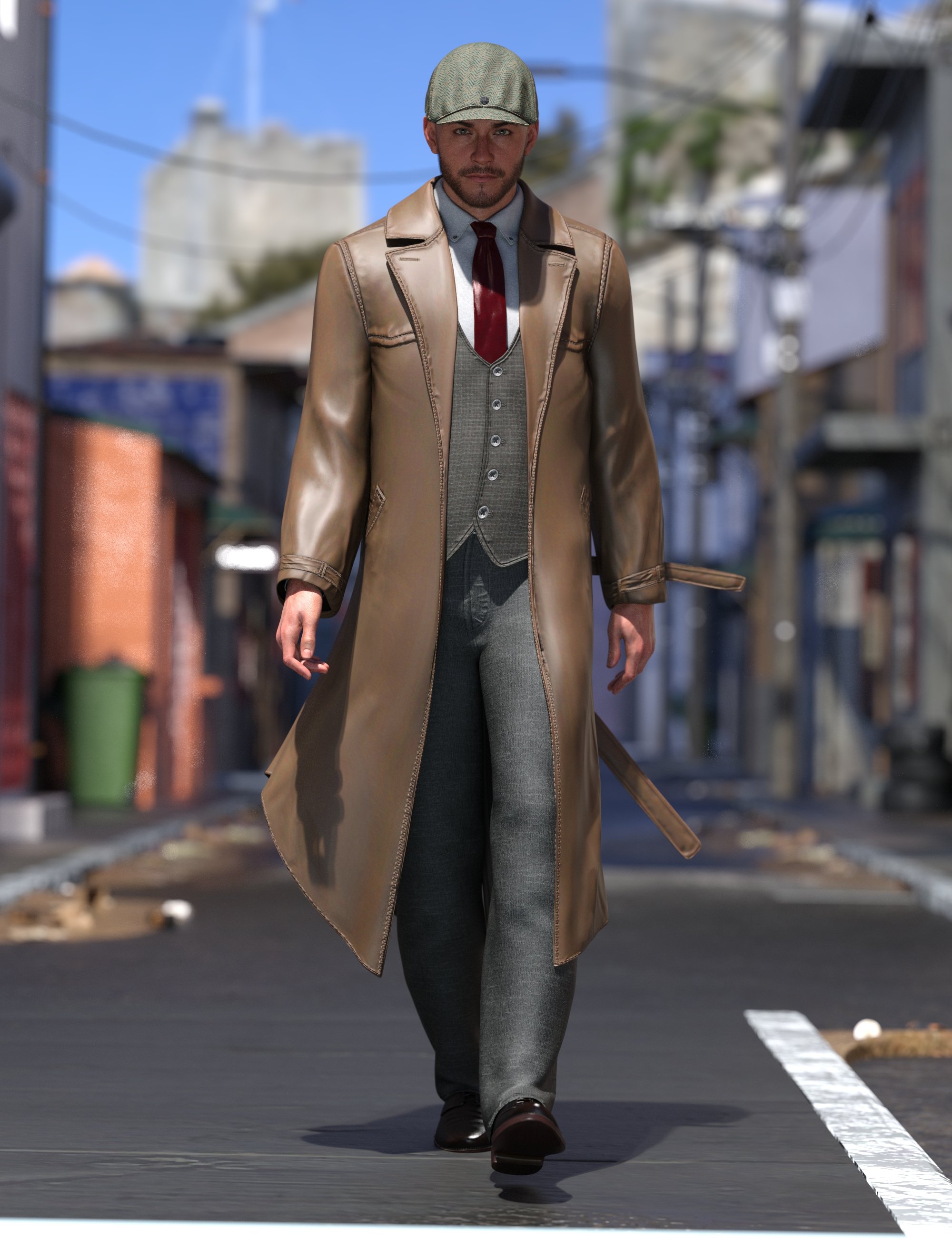
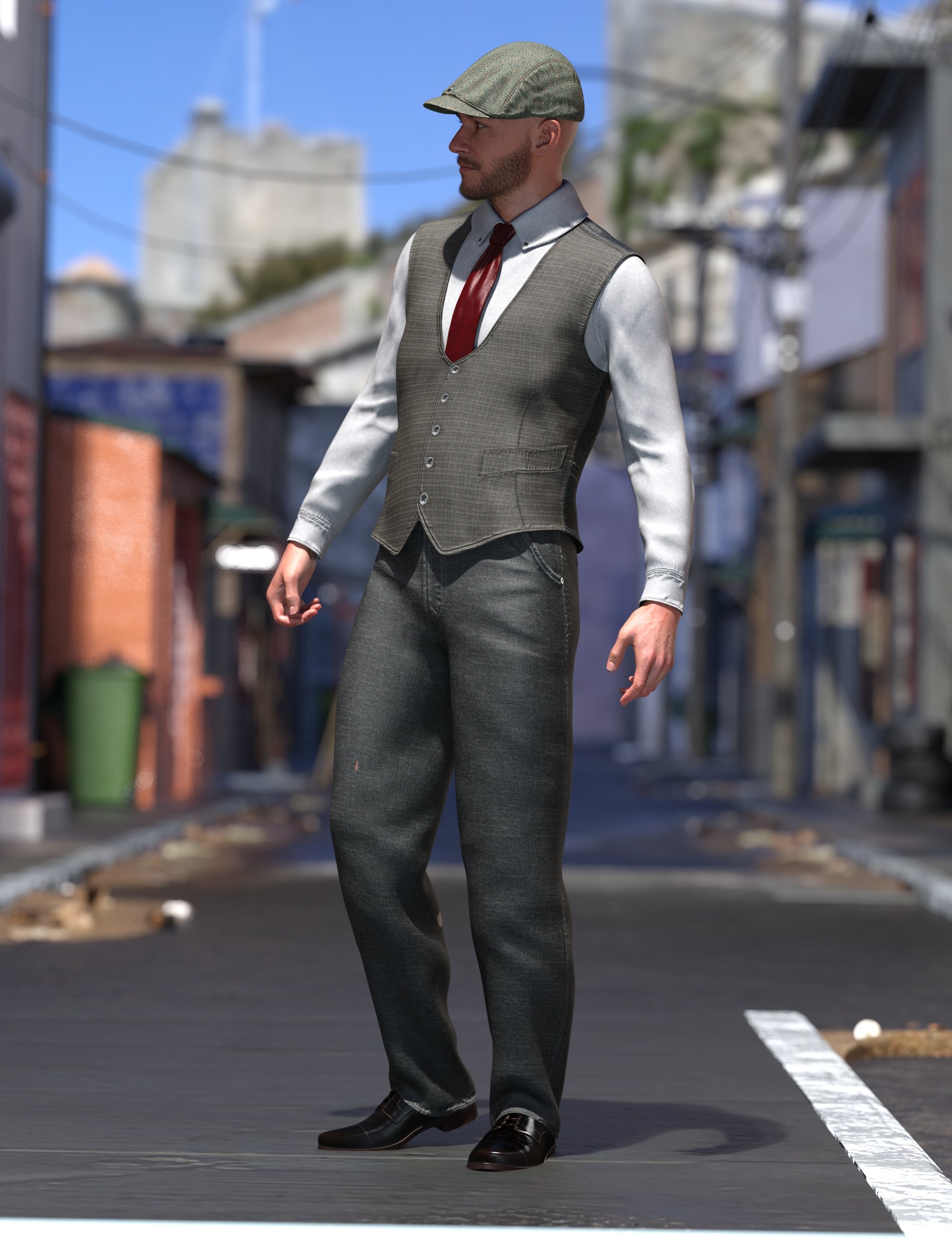
dForce Detective Outfit for Genesis 9 is a 6-piece outfit perfect for many scenarios.
Featuring a cap, shoes, pants, shirt, vest, and jacket.
- dForce Detective Outfit for Genesis 9: (.DUF)
- Detective !Outfit
- Expand All
- Loosen Back
- Loosen Front
- Loosen Head Left
- Loosen Head Right
- Loosen Head
- Detective Coat
- Belt End Left Sweep
- Belt End Right Sweep
- Belt Ends Sweep Left
- Belt Ends Sweep Right
- Belt Ends Twist Sweep Left
- Belt Ends Twist Sweep Right
- Belt Ends Up
- Expand All
- Loosen Armpits
- Loosen Chest
- Loosen Coat
- Loosen Collars
- Loosen Left Armpit
- Loosen Left Collar
- Loosen Left Wrist
- Loosen Lower Coat
- Loosen Midriff
- Loosen Neck
- Loosen Right Armpit
- Loosen Right Collar
- Loosen Right Wrist
- Loosen Sleeves Upper Arm Left
- Loosen Sleeves Upper Arm Right
- Loosen Sleeves Upper Arm
- Loosen Waist Lower
- Loosen Waist Upper
- Loosen Wrists
- Lower Coat Left Side Up
- Lower Coat Right Side Up
- Detective Hat
- Expand All
- Loosen Back
- Loosen Front
- Loosen Head Left
- Loosen Head Right
- Loosen Head
- Detective Pants
- Loosen Ankles
- Loosen Feet
- Loosen Knees
- Loosen Left Ankle
- Loosen Left Foot
- Loosen Left Knee
- Loosen Pelvis
- Loosen Right Ankle
- Loosen Right Foot
- Loosen Right Knee
- Loosen Thigh Left
- Loosen Thigh Right
- Loosen Thighs
- Loosen Waist Lower
- Loosen Waist Upper
- Detective Shirt
- Expand All
- Loosen Armpits
- Loosen Chest
- Loosen Collars
- Loosen Hand Left
- Loosen Hand Right
- Loosen Hands
- Loosen Head Left
- Loosen Head Right
- Loosen Head
- Loosen Left Armpit
- Loosen Left Collar
- Loosen Left Wrist
- Loosen Midriff
- Loosen Neck
- Loosen Pelvis
- Loosen Right Armpit
- Loosen Right Collar
- Loosen Right Wrist
- Loosen Sleeves Upper Arm Left
- Loosen Sleeves Upper Arm Right
- Loosen Sleeves Upper Arm
- Loosen Thigh Left
- Loosen Thigh Right
- Loosen Thighs
- Loosen Waist Lower
- Loosen Waist Upper
- Loosen Wrists
- Detective Shoes
- Expand All
- Loosen Ankles
- Loosen Feet
- Loosen Left Ankle
- Loosen Left Foot
- Loosen Left Toe
- Loosen Right Ankle
- Loosen Right Foot
- Loosen Right Toe
- Loosen Toes
- Detective Vest
- Expand All
- Loosen Armpits
- Loosen Chest
- Loosen Collars
- Loosen Head Left
- Loosen Head Right
- Loosen Head
- Loosen Left Armpit
- Loosen Left Collar
- Loosen Midriff
- Loosen Neck
- Loosen Pelvis
- Loosen Right Armpit
- Loosen Right Collar
- Loosen Sleeves Upper Arm Left
- Loosen Sleeves Upper Arm Right
- Loosen Sleeves Upper Arm
- Loosen Thigh Left
- Loosen Thigh Right
- Loosen Thighs
- Loosen Waist Lower
- Loosen Waist Upper
- Detective !Outfit
- Materials:
- Detective !Outfit Brown
- Detective Coat Brown Set
- Detective Hat Brown Set
- Detective Pants Brown Set
- Detective Shirt Brown Set
- Detective Shoes Brown Set
- Detective Vest Brown Set
- Clothing Expander Tutorial.pdf
- Textures Include:
- 35 Textures for Bump, Normal, and Roughness Maps (4096 x 4096)
- Daz Studio Iray Material Presets (.DUF)
- This product includes:
- 1 DSON Core Installer
- dForce Detective Outfit for Genesis 9: (.DUF)
- JW Supernatural Expressions for Lycan 9
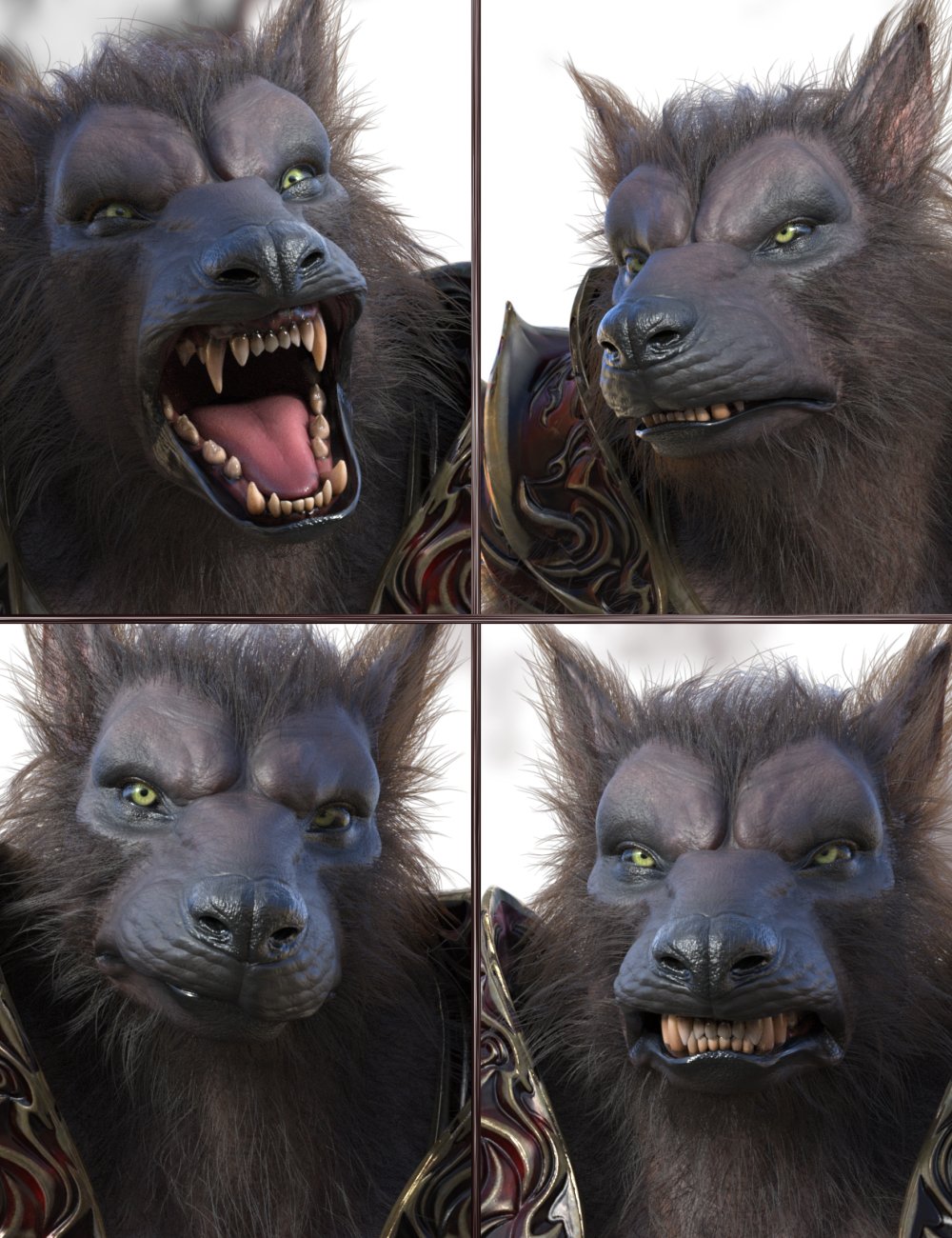
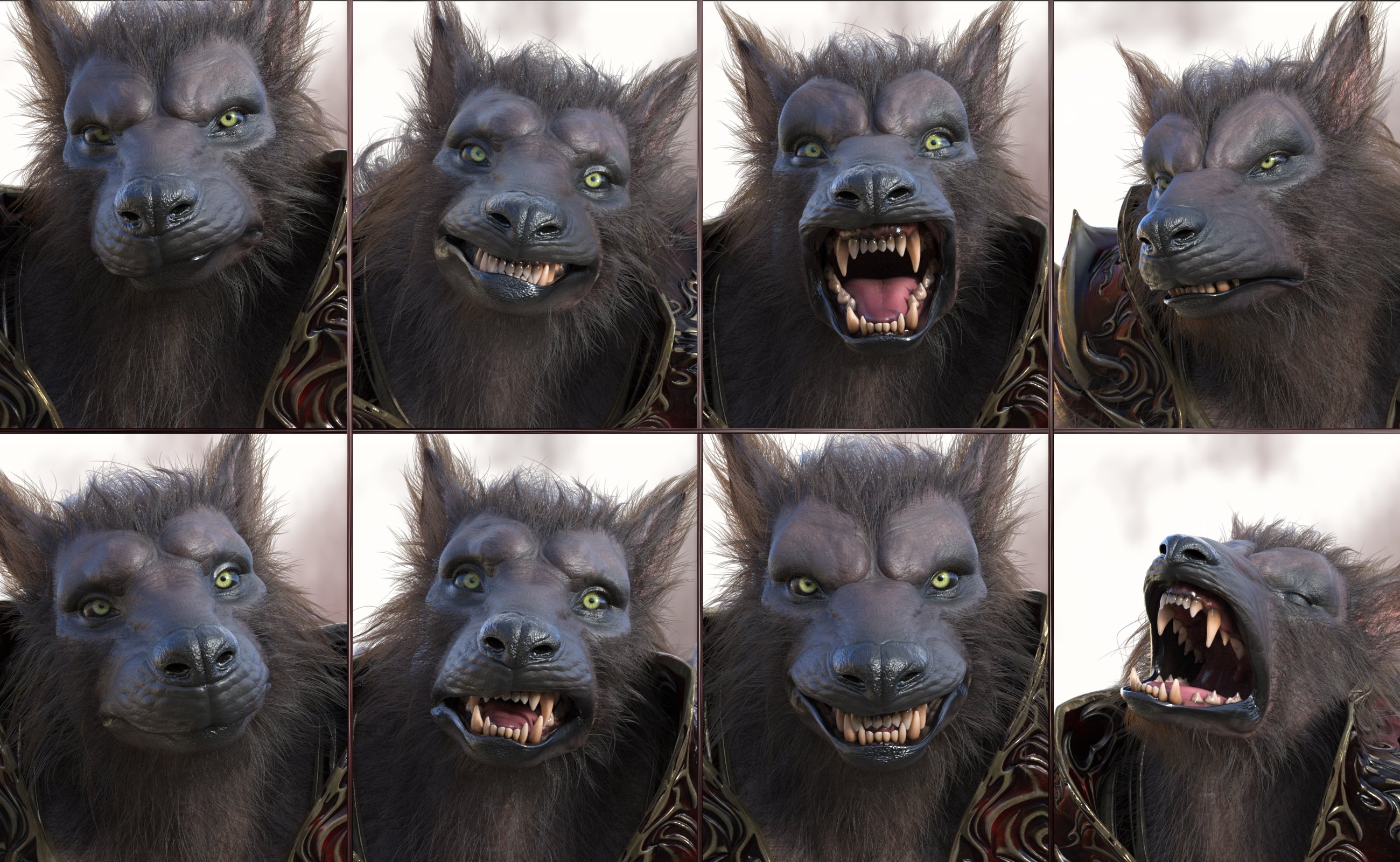
JW Supernatural Expressions for Lycan 9 contains detailed and versatile facial expressions to use in a variety of scenes for your characters.
Supported by morph dials, you can mix and combine them to create new facial expressions in seconds, helping you to find the perfect option and face strength easily.
-
JW Supernatural Expressions for Lycan 9
- Face Presets:
- Unlock Brows First
- Reset
- Angry A
- Angry B
- Concentrated
- Doubtful
- Focus
- Friendly
- Furious
- Knocked Out
- Laugh
- Mad A
- Mad B
- Malicious
- Pain
- Scream
- Serious
- Smile Good
- Smile Malicious
- Surprised A
- Surprised B
- Surprised C
- Taste
- Threatening
- Uncomfortable
- Worried
- Morph Dials:
- Angry A
- Angry B
- Concentrated
- Doubtful
- Focus
- Friendly
- Furious
- Knocked Out
- Laugh
- Mad A
- Mad B
- Malicious
- Pain
- Scream
- Serious
- Smile Good
- Smile Malicious
- Surprised A
- Surprised B
- Surprised C
- Taste
- Threatening
- Uncomfortable
- Worried
- This product includes:
- 1 DSON Core Installer
-
JW Supernatural Expressions for Lycan 9
- LI Wolfsbane Fur - Lycan 9
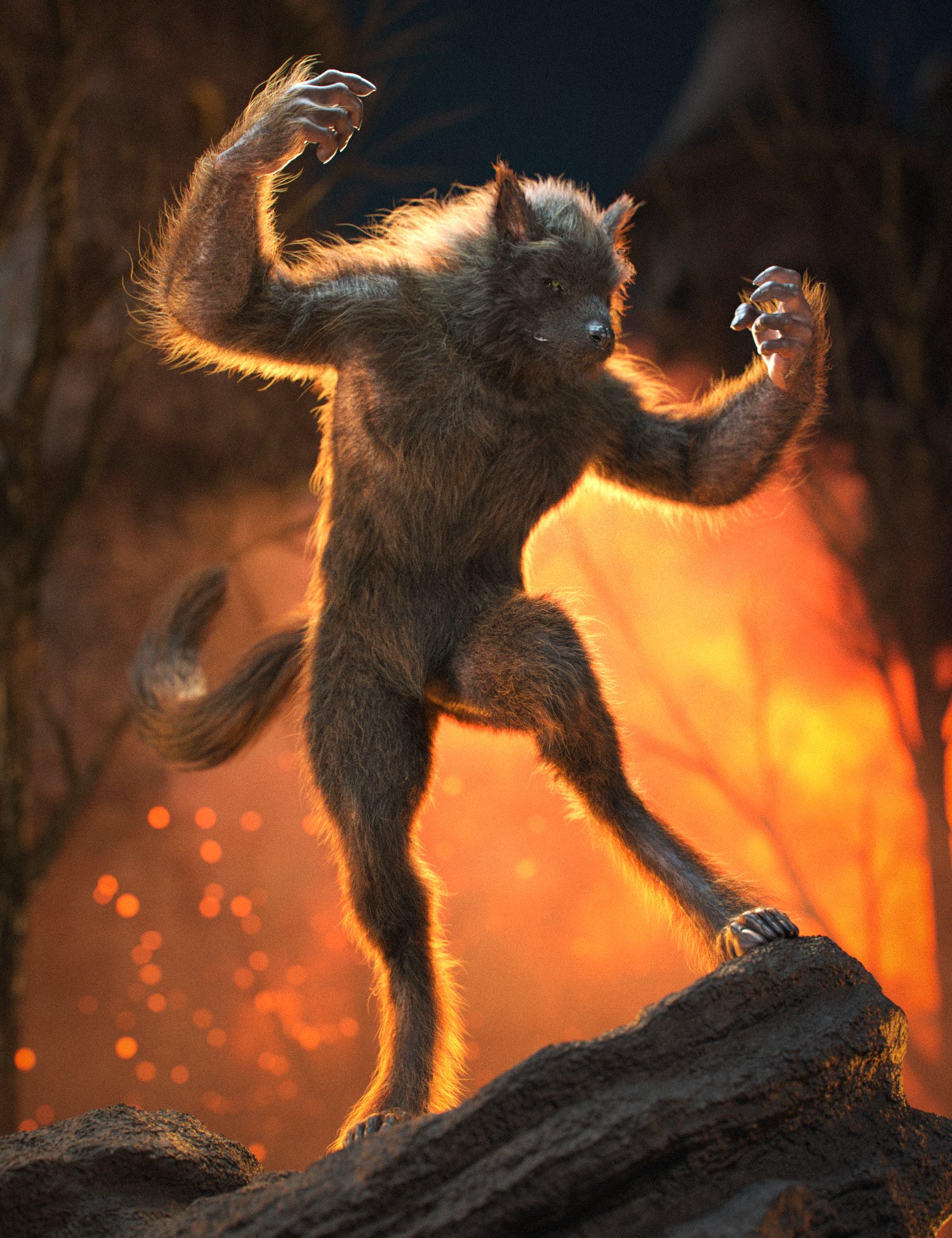
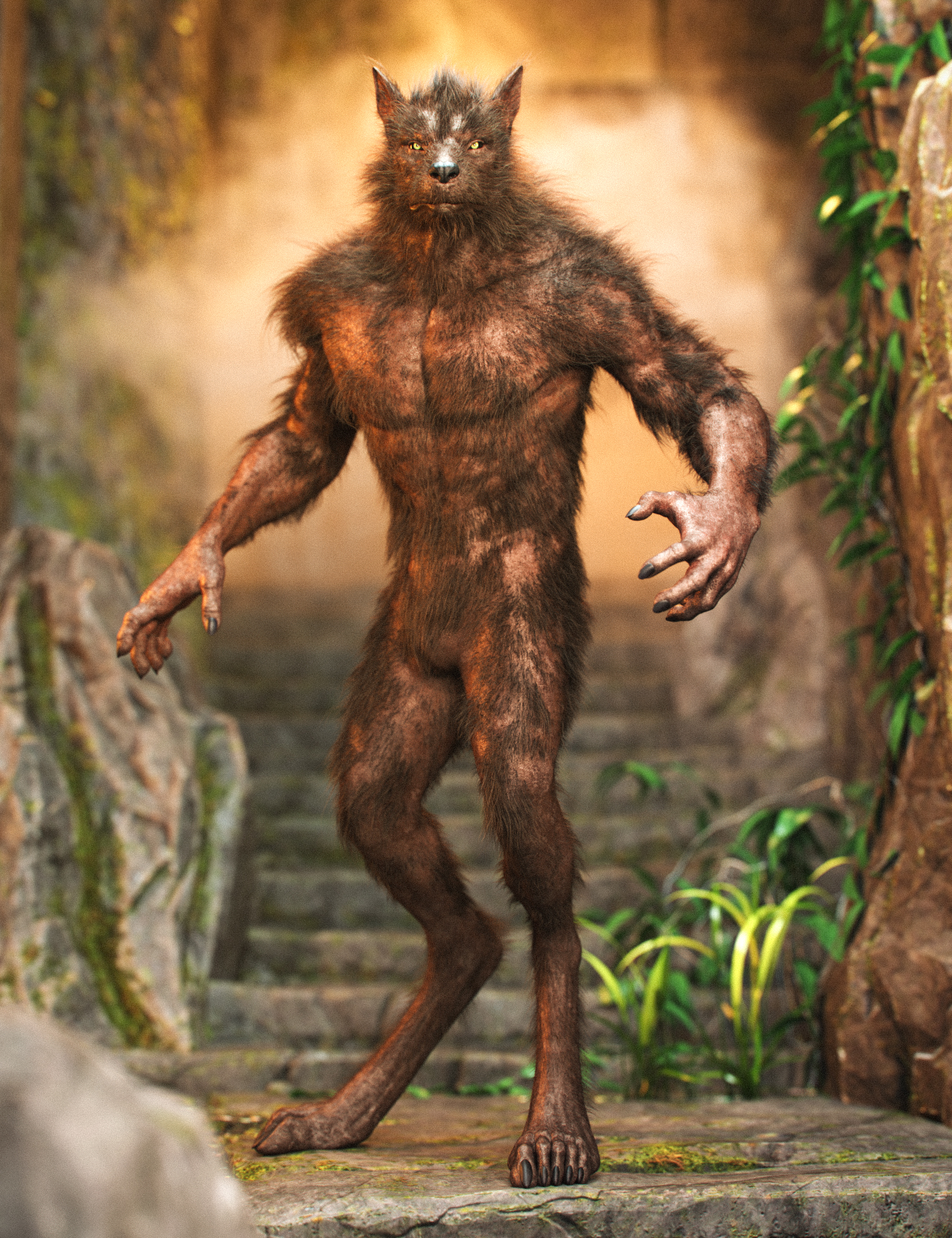
Unleash the Beast!
Introducing LI Wolfsbane Fur - Lycan 9, the ultimate base fur product for your Genesis 9 werewolf. Built with a balance of quality and performance in mind, this fur is designed to provide an excellent foundation while keeping file sizes manageable. However, the power to push your werewolf’s fur to the absolute limit is in your hands. The presets are fully tweakable, allowing you to adjust fur density, length, and more—just push it as far as your system can handle!
Whether you’re looking for a sleek, streamlined coat or something wilder, this fur pack offers plenty of flexibility. Perfect for crafting your ultimate werewolf character, LI Wolfsbane Fur - Lycan 9 gives you full control over the beast’s appearance.
Let your creativity run wild and see how far you can take the fur... just beware of the full moon!
As a bonus for convenience, this includes matching presets for the LI Wolfsbane Fur - Addons.
-
LI Wolfsbane Fur - Lycan 9:(.DUF)
- Wearables:
- LI Wolfsbane Fur - Lycan Coat
- LI Wolfsbane Fur - Lycan Culled
- LI Wolfsbane Fur - Lycan Face
- LI Wolfsbane Fur - Lycan Mane
- LI Wolfsbane Fur - Lycan Snout
- LI Wolfsbane Fur - Lycan Tail
-
Wearable Presets:(.DUF)
- LI WFur - ! Add Lycan Coat and Shell (UVL9)
- LI WFur - Preset Lycan Coat and Face (PreSim) 01
- LI WFur - Preset Lycan Coat and Tail (Default)
- LI WFur - Preset Lycan Coat and Tail (PreSim) 01
- LI WFur - Preset Lycan Coat and Tail (PreSim) 02
- LI WFur - Preset Lycan Coat and Tail (PreSim) 03
- LI WFur - Preset Lycan Coat (PreSim) 01
- LI WFur - Preset Lycan Mane and Face (PreSim) 01
- LI WFur - Preset Lycan Mane and Face (PreSim) 02
- LI WFur - Preset Lycan Mane (PreSim) 01
-
Strand-based Omni-Surface Shader Adjustment Presets:
- 46 x MATS Omni - Color Presets
- 21 x MATS Omni - Color Weights Values
- 29 x MATS Omni - Dye Weights Values
- 23 x MATS Omni - IOR Glossy Values
- 49 x MATS Omni - Line End Widths Values
- 49 x MATS Omni - Line Start Widths Values
- 21 x MATS Omni - Melanin Levels Values
- 21 x MATS Omni - Melanin Redness Values
- 21 x MATS Omni - Root Tip Blend Values
- 21 x MATS Omni - Root Tip Ratio Values
- 25 x MATS Omni - Roughness Values
- 25 x MATS Omni - Roughness Azimuthal Values
- 69 x MATS Omni - X Diversity Images Presets
-
dForce Hair Generation Simulation Presets (RR) Mode
- 03 x Hair Generation Mode Presets
- 12 x LI SIM - RR Points (Per Hair) Values
- 10 x LI SIM - RR Hairs (Per Guide) Values
- 16 x LI SIM - RR Hair Distribution Radius Values
- 25 x LI SIM - RR Hair Tip Separation Values
- 21 x LI SIM - RR Hair Bias Values
- 21 x LI SIM - RR Hair Gain Value
-
dForce Hair Generation Simulation Presets: TARGET SURFACE MODE
- 03 x Hair Generation Mode Presets
- 21 x LI SIM - TS Clumping 1 Bias Values
- 26 x LI SIM - TS Hair Clumping 1 Density Values
- 21 x LI SIM - TS Hair Clumpiness 1 Percentage Values
- 21 x LI SIM - TS Clumping 2 Bias Values
- 26 x LI SIM - TS Hair Clumping 2 Density Values
- 21 x LI SIM - TS Hair Clumpiness 2 Percentage Values
- 31 x LI SIM - TS Hair Frizz Base Amount Values
- 31 x LI SIM - TS Hair Frizz Tip Amount Values
- 10 x LI SIM - TS Hair Growth ID Values
- 21 x LI SIM - TS Hair Scale Values
- 20 x LI SIM - TS Hairs Density Level Values
- 20 x LI SIM - TS Interpolation Segment Length Values
- 10 x LI SIM - TS Random Length Amount Values
- 26 x LI SIM - TS Reduce Length Amount Values
- 20 x LI SIM - TS Scraggliness 1 Values
- 06 x LI SIM - TS Scraggliness 1 Modes
- 20 x LI SIM - TS Scraggliness 2 Values
- 06 x LI SIM - TS Scraggliness 2 Modes
-
dForce Hair Generation Simulation Presets (RR) Mode
- LI dFPP Fur - ! ALL Default (No Sim)
- LI dFPP Fur - ! ALL Default (Sim) TS
- LI dFPP Fur - ! ALL Gold Coat (Sim) TS
- LI dFPP Fur - ! ALL Promo (No Sim)
- LI dFPP Fur - ! ALL Reset (Sim) RR
- LI dFPP Fur - ALL Color ID (No Sim)
- LI dFPP Fur - ALL Color ID (Sim) RR
- LI dFPP Fur - ALL Color ID (Sim) TS
- LI dFPP Fur - ALL Fleece and Shawl (Sim) TS
- LI dFPP Fur - ALL Fleece 01 (No Sim)
- LI dFPP Fur - ALL Fleece 02 (No Sim)
- LI dFPP Fur - ALL Fleece 03 (No Sim)
- LI dFPP Fur - ALL Fleece Only (Sim) TS
- LI dFPP Fur - X ALL to Iray Uber (No Sim)
- LI dFPP Fur - X ALL to Iray Uber (Sim) RR
- LI dFPP Fur - X ALL to Iray Uber (Sim) TS
-
Materials Iray (.DUF)
- LI WFur - X All Iray Uber (NO Sim)
- LI WFur - X All Dual Lobe (NO Sim)
- LI WFur - All Omni White (NO Sim)
- LI WFur - All Omni Grey (NO Sim)
- LI WFur - All Omni Brown (NO Sim)
- LI WFur - All Omni Blonde (NO Sim)
- LI WFur - All Omni Black (NO Sim)
- LI WFur - ! All Omni Hair (NO Sim)
- LI WFur - ! All Default (TS)
- LI WFur - ! All Default (RR) Reset
- LI WFur - ! All Default (NO Sim)
- LI WFur - ! All (MIX) PreSim Builder
- LI WFur - Lycan 9 Shells Mange 01
- LI WFur - Lycan 9 Shells Mange 02
- LI WFur - Lycan 9 Shells Opacity 10%
- LI WFur - Lycan 9 Shells Opacity 20%
- LI WFur - Lycan 9 Shells Opacity 30%
- LI WFur - Lycan 9 Shells Opacity 40%
- LI WFur - Lycan 9 Shells Opacity 50%
- LI WFur - Lycan 9 Shells Opacity 60%
- LI WFur - Lycan 9 Shells Opacity 70%
- LI WFur - Lycan 9 Shells Opacity 80%
- LI WFur - Lycan 9 Shells Opacity 90%
- LI WFur - Lycan 9 Shells Opacity X100%
- LI WFur H.Thickness ! All Default
- LI WFur H.Thickness ! All Thicker
- LI WFur H.Thickness ! All Thin
- LI WFur H.Thickness ! All Thinner
-
dForce Hair Generation Simulation Presets: x 2 (V1 to V2)
- LI WFur - Mange V1 ! ALL Add
- LI WFur - Mange V1 ! ALL Remove
- LI WFur - Mange V1 ! Lycan Coat
- LI WFur - Mange V1 ! Lycan Culled
- LI WFur - Mange V1 ! Lycan Face
- LI WFur - Mange V1 ! Lycan Mane
- LI WFur - Mange V1 ! Lycan Snout
- LI WFur - Mange V1 ! Lycan Tail
- LI WFur - Mange V1 Arms Lower
- LI WFur - Mange V1 Arms Upper
- LI WFur - Mange V1 Beard
- LI WFur - Mange V1 Brows
- LI WFur - Mange V1 Buttocks
- LI WFur - Mange V1 Crutch
- LI WFur - Mange V1 Ears
- LI WFur - Mange V1 Elbows
- LI WFur - Mange V1 Eyebrows
- LI WFur - Mange V1 Face
- LI WFur - Mange V1 Feet
- LI WFur - Mange V1 Fullbody
- LI WFur - Mange V1 Fullmange V1
- LI WFur - Mange V1 Goatee
- LI WFur - Mange V1 Hair
- LI WFur - Mange V1 Hands
- LI WFur - Mange V1 Head Back
- LI WFur - Mange V1 Legs Lower
- LI WFur - Mange V1 Legs Upper
- LI WFur - Mange V1 Mane V1
- LI WFur - Mange V1 Mane V2
- LI WFur - Mange V1 Sideburns
- LI WFur - Mange V1 Tail Base
- LI WFur - Mange V1 Tail Root
- LI WFur - Mange V1 Tail Tuft
- LI WFur - Mange V1 Tail Volume
- LI WFur - Mange V1 Torso Lower
- LI WFur - Mange V1 Torso Upper
- LI WFur - Lycan 9 Body Hide Gen. Fur 01 (PS)
- LI WFur - Lycan 9 Body Hide Gen. Fur 02 (PS)
- LI WFur - Lycan 9 Body Hide Gen. Fur 03 (PS)
- LI WFur - Lycan 9 Body Hide Gen. Fur Reset (PS)
-
Textures Include:
- 47 Texture, Base Color, Normal, Roughness (4096 x 4096)
- Daz Studio Iray Material Presets (.DUF)
- This product includes:
- 1 DSON Core Installer
-
LI Wolfsbane Fur - Lycan 9:(.DUF)
- M3D Lycanthropy Fangs and Claws for Lycan 9
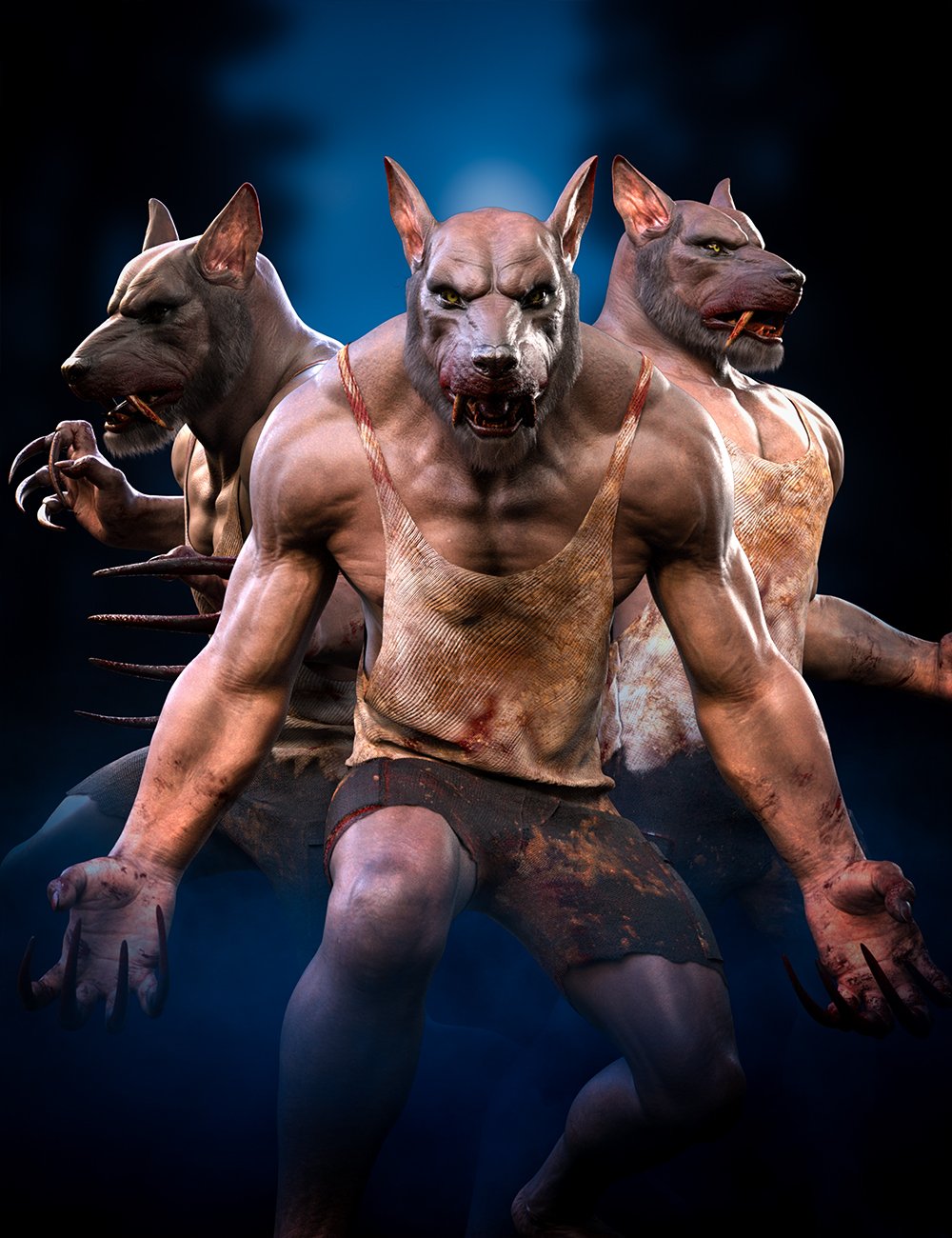
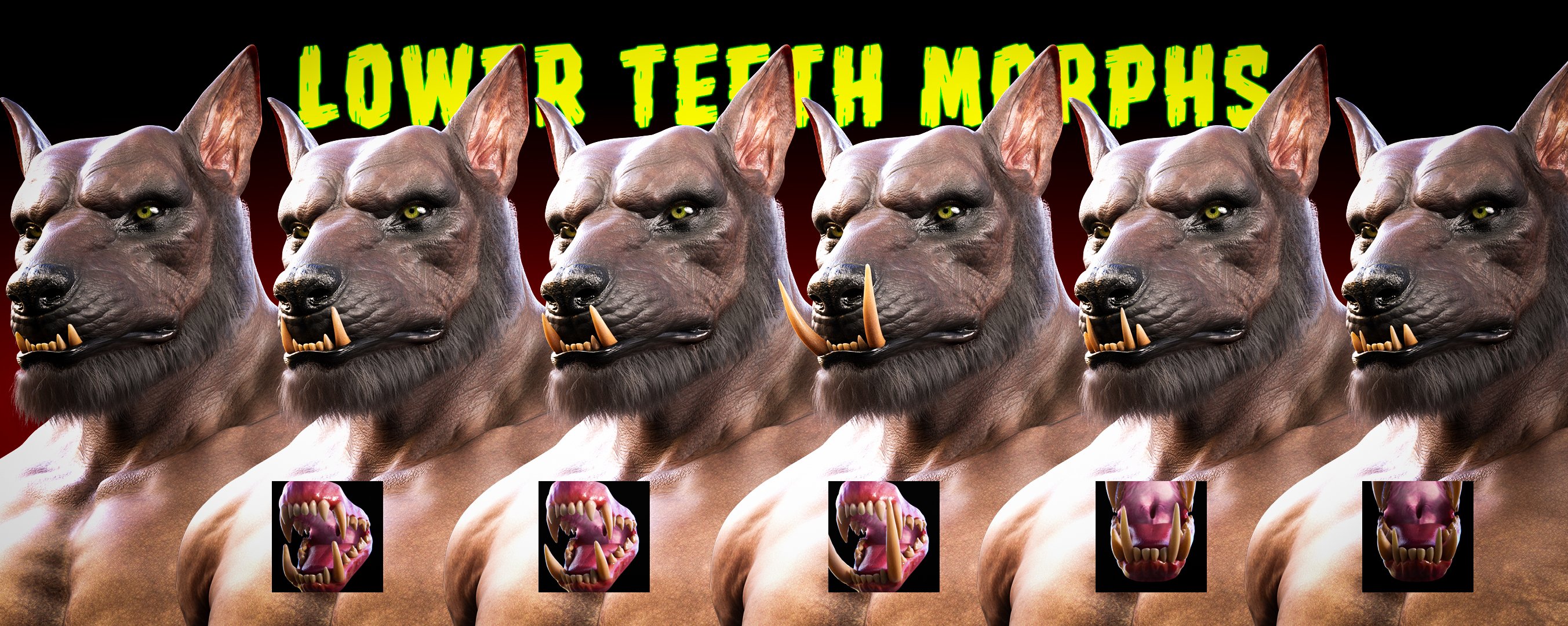
Unleash the full power of your Lycan 9 character with M3D Lycanthropy Fangs and Claws! This set brings fierce, customizable morphs for both upper and lower teeth, along with adjustable claws to create the perfect werewolf look. From razor-sharp canines to monstrous claws, you have endless possibilities to shape your beast.
Add an extra layer of intensity with blood-splattered geoshells for the mouth, snout, and claws, perfect for creating dramatic, battle-ready scenes. Take your creature design to the next level—this set is a must-have for any horror or fantasy project.
- M3D Lycantropy Fangs and Claws for Lycan 9: (.DUF)
-
Wearables:
- M3D LFC Bloody !Claws Shell
- M3D LFC Bloody !Mouth Shell
- M3D LFC Bloody !Snout Shell
-
Shapes:
- Available as Morph Dials and Shaping Presets
- M3D LFC !Claws RESET
- M3D LFC !Mouth RESET
- M3D LFC Advanced Jaw OFF
- M3D LFC Advanced Jaw
- M3D LFC Claws 01 OFF
- M3D LFC Claws 01
- M3D LFC Claws 02 OFF
- M3D LFC Claws 02
- M3D LFC Claws 03 OFF
- M3D LFC Claws 03
- M3D LFC Claws 04 OFF
- M3D LFC Claws 04
- M3D LFC Claws 05 OFF
- M3D LFC Claws 05
- M3D LFC Lower Canines 01 OFF
- M3D LFC Lower Canines 01
- M3D LFC Lower Canines 02 OFF
- M3D LFC Lower Canines 02
- M3D LFC Lower Canines 03 OFF
- M3D LFC Lower Canines 03
- M3D LFC Lower Incisors 01 OFF
- M3D LFC Lower Incisors 01
- M3D LFC Lower Incisors 02 OFF
- M3D LFC Lower Incisors 02
- M3D LFC Lower Incisors 03 OFF
- M3D LFC Lower Incisors 03
- M3D LFC Lower Incisors 04 OFF
- M3D LFC Lower Incisors 04
- M3D LFC Lower Incisors 05 OFF
- M3D LFC Lower Incisors 05
- M3D LFC Lower Molars 01 OFF
- M3D LFC Lower Molars 01
- M3D LFC Lower Molars 02 OFF
- M3D LFC Lower Molars 02
- M3D LFC Upper Canines 01 OFF
- M3D LFC Upper Canines 01
- M3D LFC Upper Canines 02 OFF
- M3D LFC Upper Canines 02
- M3D LFC Upper Canines 03 OFF
- M3D LFC Upper Canines 03
- M3D LFC Upper Incisors 01 OFF
- M3D LFC Upper Incisors 01
- M3D LFC Upper Incisors 02 OFF
- M3D LFC Upper Incisors 02
- M3D LFC Upper Incisors 03 OFF
- M3D LFC Upper Incisors 03
- M3D LFC Upper Incisors 04 OFF
- M3D LFC Upper Incisors 04
- M3D LFC Upper Molars 01 OFF
- M3D LFC Upper Molars 01
- M3D LFC Upper Molars 02 OFF
- M3D LFC Upper Molars 02
-
Materials Options:
- M3D LFC Bloody Mouth High
- M3D LFC Bloody Mouth Low
- M3D LFC Bloody Mouth Medium
- M3D LFC Bloody Snout 01
- M3D LFC Bloody Snout 02
- M3D LFC Bloody Snout 03
- M3D LFC Bloody Snout 05
- M3D LFC Bloody Snout 06
- M3D LFC Claws Blood High
- M3D LFC Claws Blood Low
- M3D LFC Claws Blood Medium
-
Textures Include:
- 45 Texture, Bump, Displacement, Normal, Reflection, Specular, and Transparency Maps (512 x 512 to 4096 x 4096)
- Daz Studio Iray Material Presets (.DUF)
- This product includes:
- 1 DSON Core Installer
- Lycan 9 HD Add-on
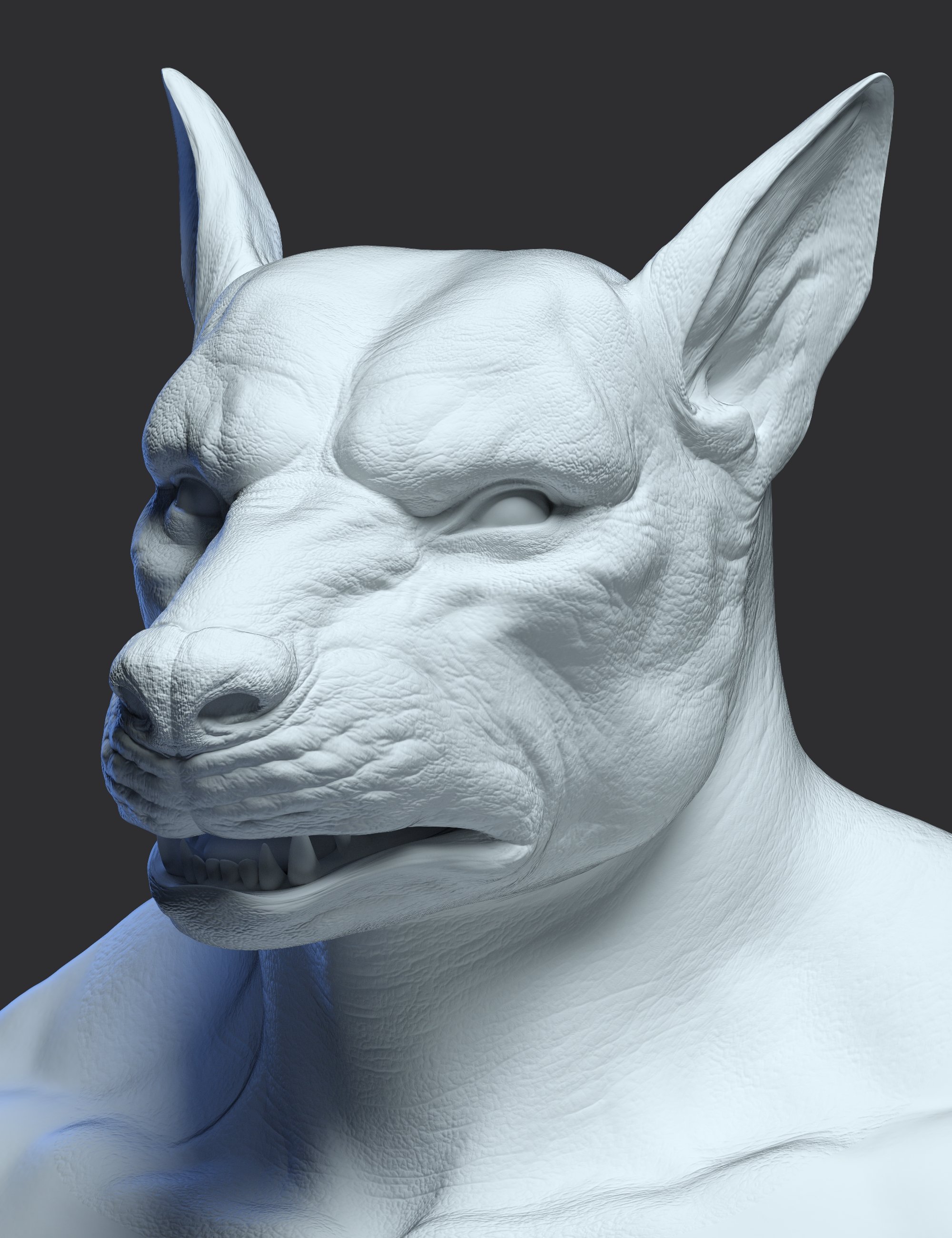
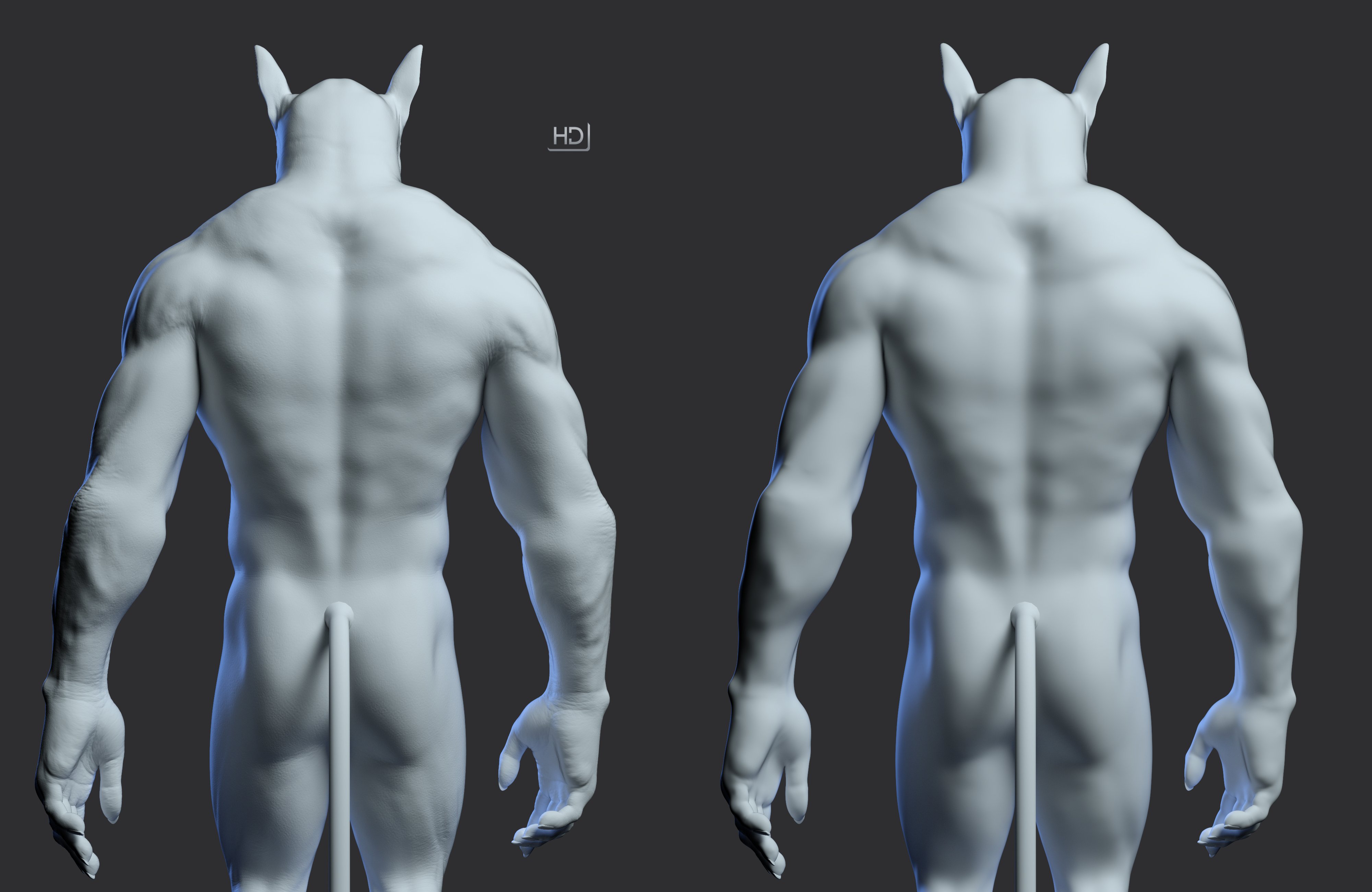
The Lycan 9 HD Add-on is here! This product contains high definition head and body morphs for Lycan 9. Harness the power of HD and add unprecedented detail to your renders. Blur the lines between CG and reality with these intricate morphs sculpted at 64x the resolution of the base Lycan 9 character.
What does HD mean for you?
- Morphs sculpted at 64x the resolution of the base figure.
- Sharper creases where you need them
- Smoother curves for an organic, natural look.
- More definition, and more details, without significant system overhead.
- See your details updated in real-time (Viewport subdivision must be turned on).
- Fine details that don't rely on image maps and work across UV sets.
- Lycan 9 HD: (.DUF)
- Lycan 9 HD Character Preset
- Lycan 9 Body HD Details
- Lycan 9 HD Details
- Lycan 9 Head HD Details
- Shaping Presets
- Lycan 9 Shaping HD Apply
- Lycan 9 Shaping HD Remove
- Materials Iray
- Lycan 9 All MAT HD
- Lycan 9 Normal Maps HD
- Textures Include:
- 01 Normal Map(4096 x 4096)
- Daz Studio Iray Material Presets (.DUF)
- This product includes:
- 1 DSON Core Installer
- Lycan 9
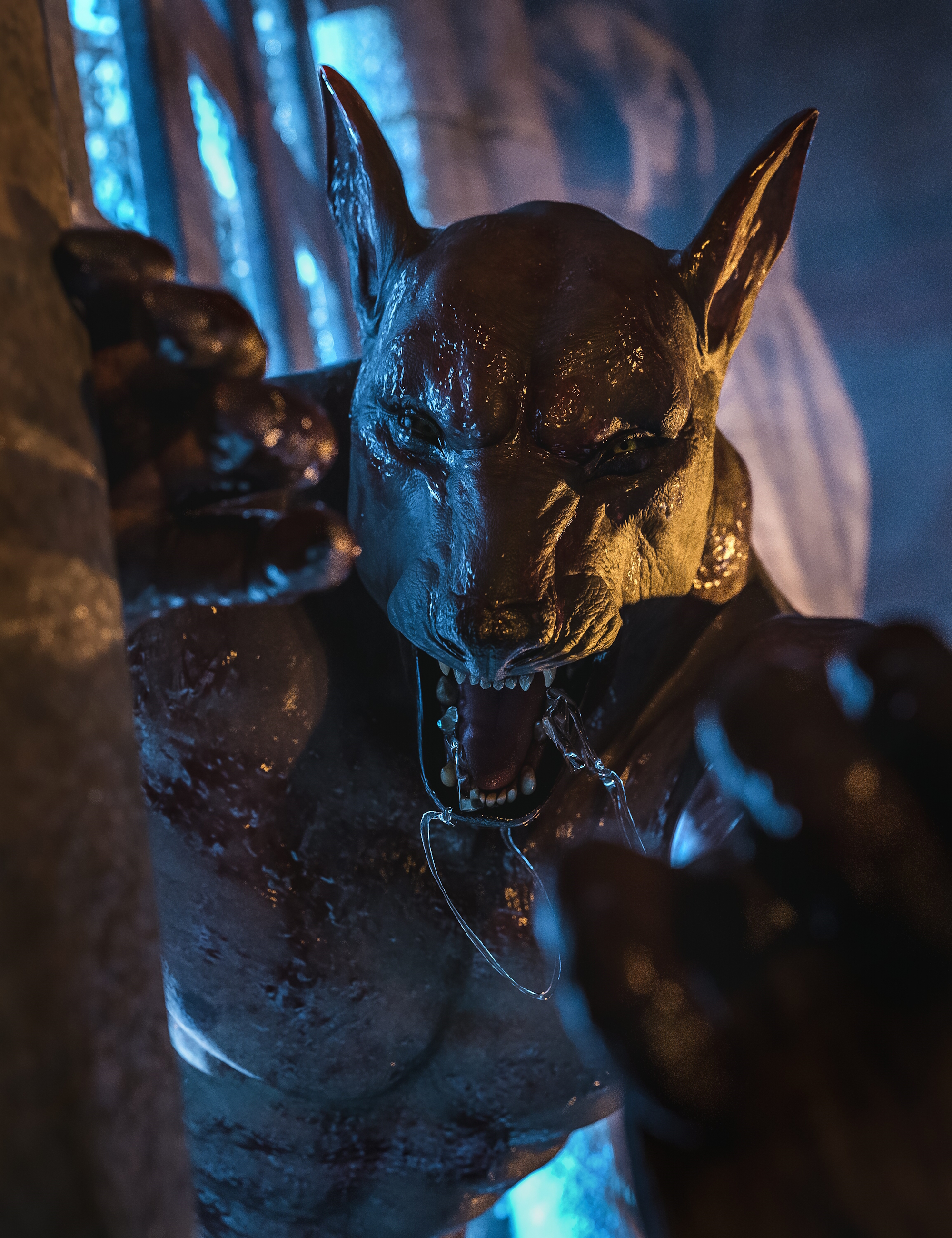
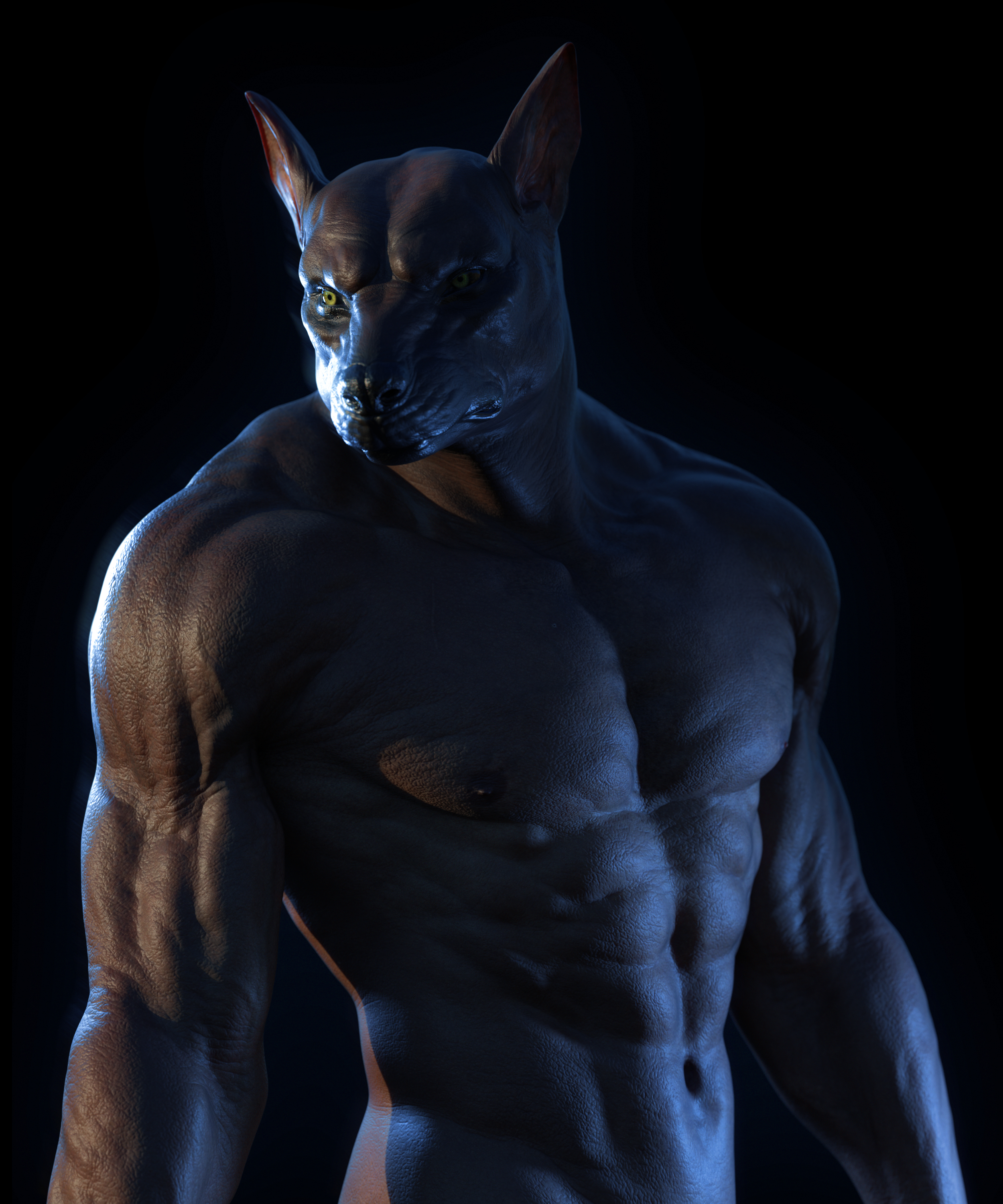
A full moon is in the sky and Genesis 9 is transformed into a creature more wolf than man.
Features a wolf-like head with custom ears, nose, mouth, and teeth. A powerful body with a tail, massive shoulders, and big hands to help get a better grip as he travels on all limbs with his unique hind legs. With separate head and body morphs, you can use the dials to blend with your other figures to make your own creature of the night!
Lycan 9 measurements courtesy of Measure Metrics for Daz Studio:
- Height: 5' 6.0" (167.8 cm)
- Chest Circumference: 48.3" (122.8 cm)
- Waist Circumference: 33.5" (85.1 cm)
- Low Hip Circumference: 37.7" (95.8 cm)
- Tail Length: 2' 9.2" (84.3 cm)
For Premier Members - Don't forget to access your Premier exclusive shape: Lycan 9 Female Add-On!
- Lycan 9: (.DUF)
- Lycan 9 Character Preset
- Lycan 9 Body
- Lycan 9
- Lycan 9 Head
- Lycan Tail
- Bend All
- Bend Base
- Bend Curl Base
- Bend Curl End
- Bend End
- Bend S Curve
- Side-Side All
- Side-Side Base
- Side-Side End
- Side-Side S Curve
- Tail Length
- Tail Taper
- Tail Thickness
- Twist All
- Materials Iray
- Lycan 9 All MAT
- Lycan 9 Eyelashes
- Lycan 9 Eyes
- Lycan 9 Genitalia Female
- Lycan 9 Genitalia Male 01
- Lycan 9 Genitalia Male 02
- Lycan 9 Mouth
- Lycan 9 Normal Maps Default
- Lycan 9 Skin MAT
- Lycan 9 Tail
- Textures Include:
- 44 Texture, Normal, Roughness, Sub-Surface Scatter, And Translucency Maps (1024 x 1024 to 4096 x 4096)
- Daz Studio Iray Material Presets (.DUF)
- This product includes:
- 1 DSON Core Installer