RENDERTIMES:
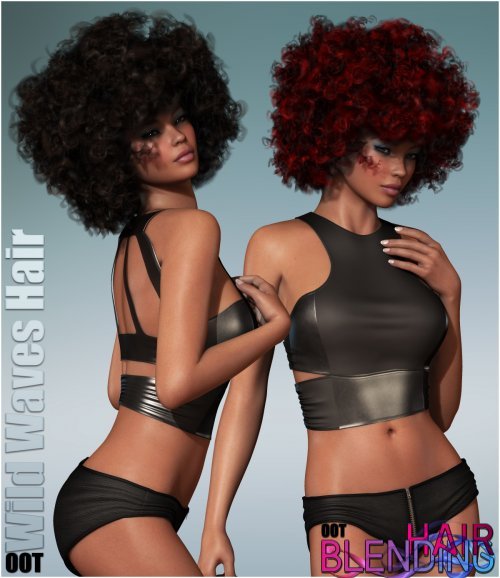
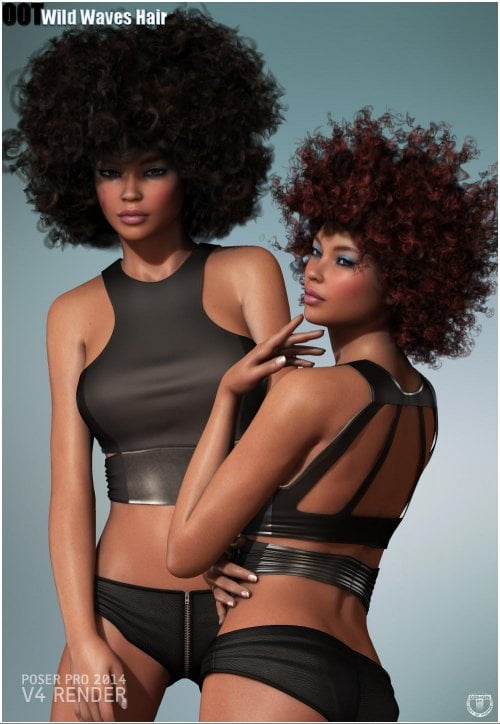
Wild Waves Hair consists of a huge number of intertwining curls to achieve a voluminous curly look.
Resulting from this, rendering with shadows and ambient occlusion /
indirect lighting can extremely increase render times. If you are working
on a slower machine we suggest rendering without shadows for the hair.
The hair loads with shadows turned off by default which in most cases still
gives a very nice look. See following promos for a comparison of
how this hair looks with shadows on or off.
(Most Poser renders on Promos are rendered with shadows turned on)
HAIRCOLORS:
Wild Waves Hair looks best with darker haircolors!
--------------------------------------------------------
What you get with this package:
--------------------------------------------------------
01 Hairprop (.hr2) for Poser 7 or higher and DAZ Studio 3 or higher for V4, A4, G4
01 Hairprop (.duf) for DAZ Studio 4.6 or higher for Genesis 2 Female(s), V6, G6, A6
+ DSON Poser Companion files for Genesis 2 Female(s) version
50 Texturecolors for the Hair
50 Enhanced Materials for Poser 7 or higher (.pz2)
50 Enhanced Materials for DAZ Studio 4.6 or higher (.duf)
01 OOT Hairblending Base for DAZ Studio 4.6 or higher (.duf)
50 Python Hairblending Overlay Options [POSER ONLY]
OOT Hairblending Guide for Poser Users (HTML)
OOT Hairblending Guide for DS Users (HTML)
--------------------------------------------------------
Texturesizes and Listing:
--------------------------------------------------------
50 Textures for the Cap (2500x2500)
01 Transmap for the Cap (2500x2500)
50 Textures for the Hair (3000x3000)
01 Transmap for the Hair (3000x3000)
12 Transmaps for the Hair (2000x2000)
01 Specularmap for the Hair (2500x2500)
01 Bumpmap for the Hair (2500x2500)
--------------------------------------------------------
Included Morphs:
--------------------------------------------------------
Morphs are sorted into different groups for easy location:
Adjust-BackHead
Adjust-CheeksL
Adjust-CheeksR
Adjust-ForeheadDepth
Adjust-ForeheadWidth
Adjust-HeadSize
Adjust-Neck
Adjust-NeckBackL
Adjust-NeckBackR
Adjust-NeckOut
Adjust-NeckOutL
Adjust-NeckOutR
Cheeks-Free
Gravity
SingleStrands-Out
Style-Rounder
Tips-Finer
Volume-Base
Volume-BoostFull
Volume-Mid
Volume-Sides
Volume-Tips
Volume-Top
Fit-A4
Fit-A6
Fit-G2F
Fit-G4
Fit-Girl6
Fit-V6